
whoami - Cross-AI Identity Sync
Cross-AI user identity profile sync service. Create one profile and every AI agent — Cursor, Claude, Codex, Windsurf — instantly knows your name, skills, preferences, and work style.
Preview
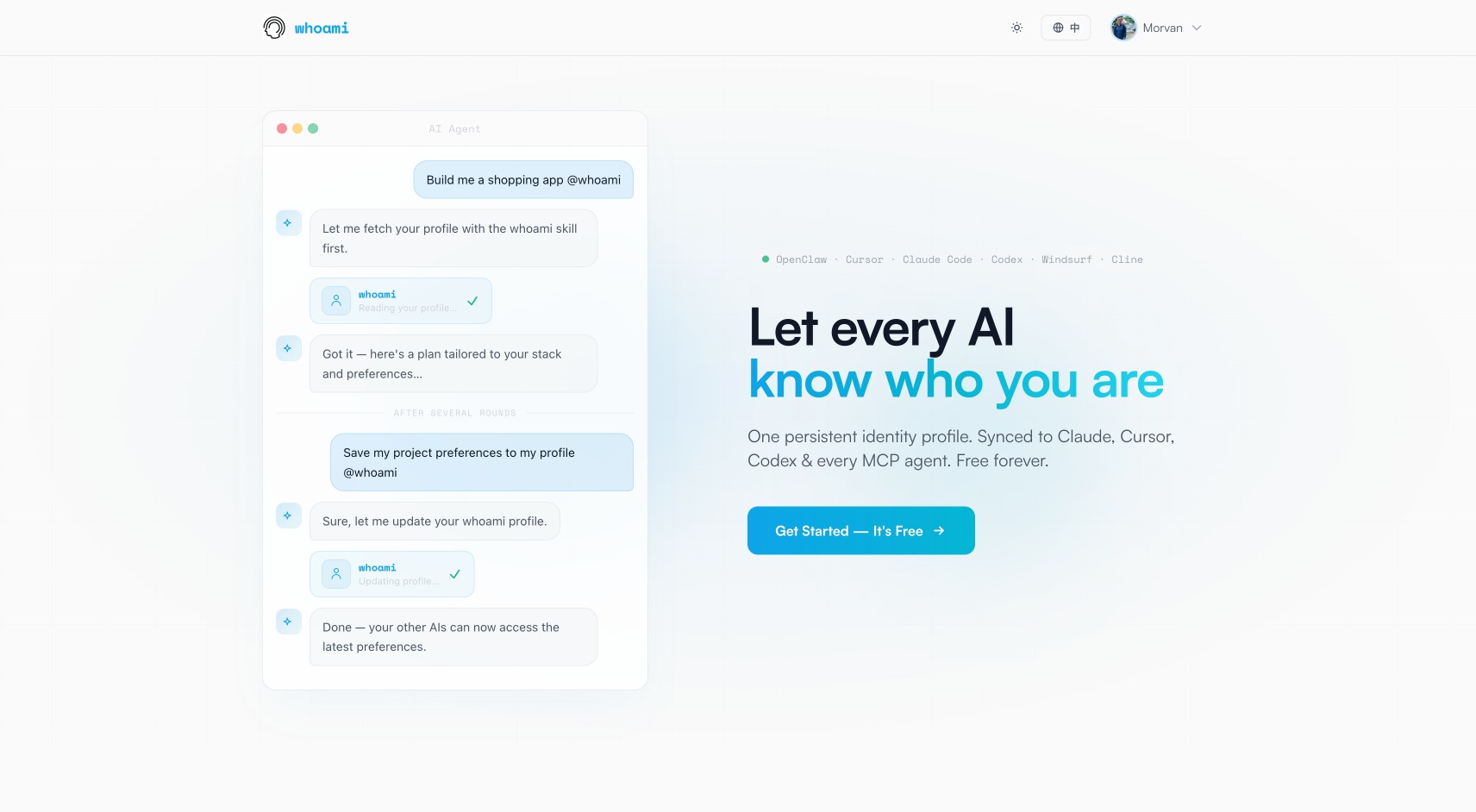
whoamiagent.com — Click to visit website
Key Features
Cross-Platform Identity Sync
Sync your identity across Cursor, Claude, Codex, Windsurf and other AI platforms. Switch tools without losing context.
Privacy & Security
Your profile is a simple Markdown document, fully under your control. Configured through a secure one-time URL.
Personalized Experience
AI automatically learns your name, skills, preferences and work style, providing more precise assistance.
Auto Updates
When you share new information during conversations, AI saves it automatically and syncs across all platforms.
How It Works
Install the Skill
Run npx skills add MorvanZhou/whoami to add the whoami skill to your AI assistant.
Register & Login
Visit whoamiagent.com and sign in with GitHub or Google to get your API Key.
Configure Profile
Set up your profile in the dashboard. AI agents will automatically download configuration through a secure URL.
Start Chatting
AI automatically loads your profile — no need to re-introduce yourself every time.
Continuous Updates
New information shared in conversations is saved automatically and synced across all AI platforms.
Demo
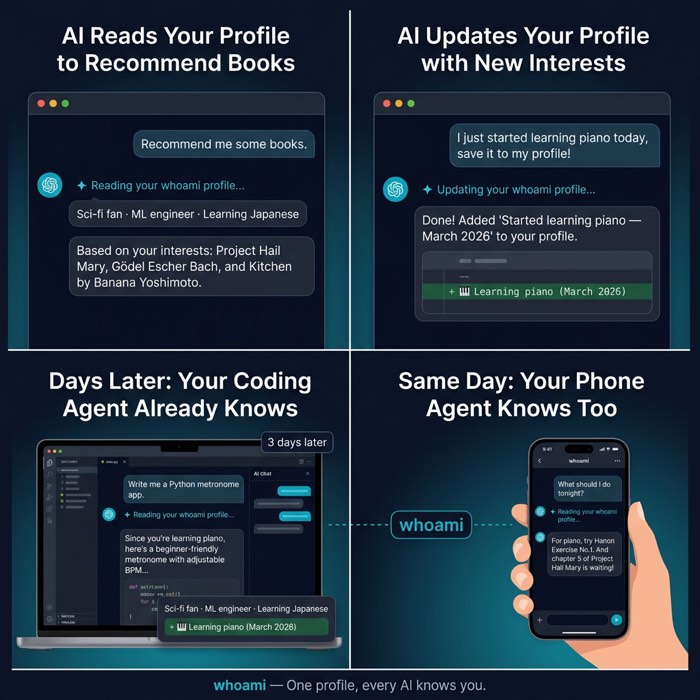
Left: AI reads your profile to recommend books based on interests / Right: AI automatically updates your profile
Installation
$npx skills add MorvanZhou/whoamiRun this command in your terminal, or simply ask your AI assistant to execute it.