Same image: 2 MB as PNG, 200 KB as JPG, maybe under 150 KB as WebP. Where does the gap come from? The question isn't "which format is best" but what your image contains and who will use it. Understand what compression removes and you can choose without guessing.
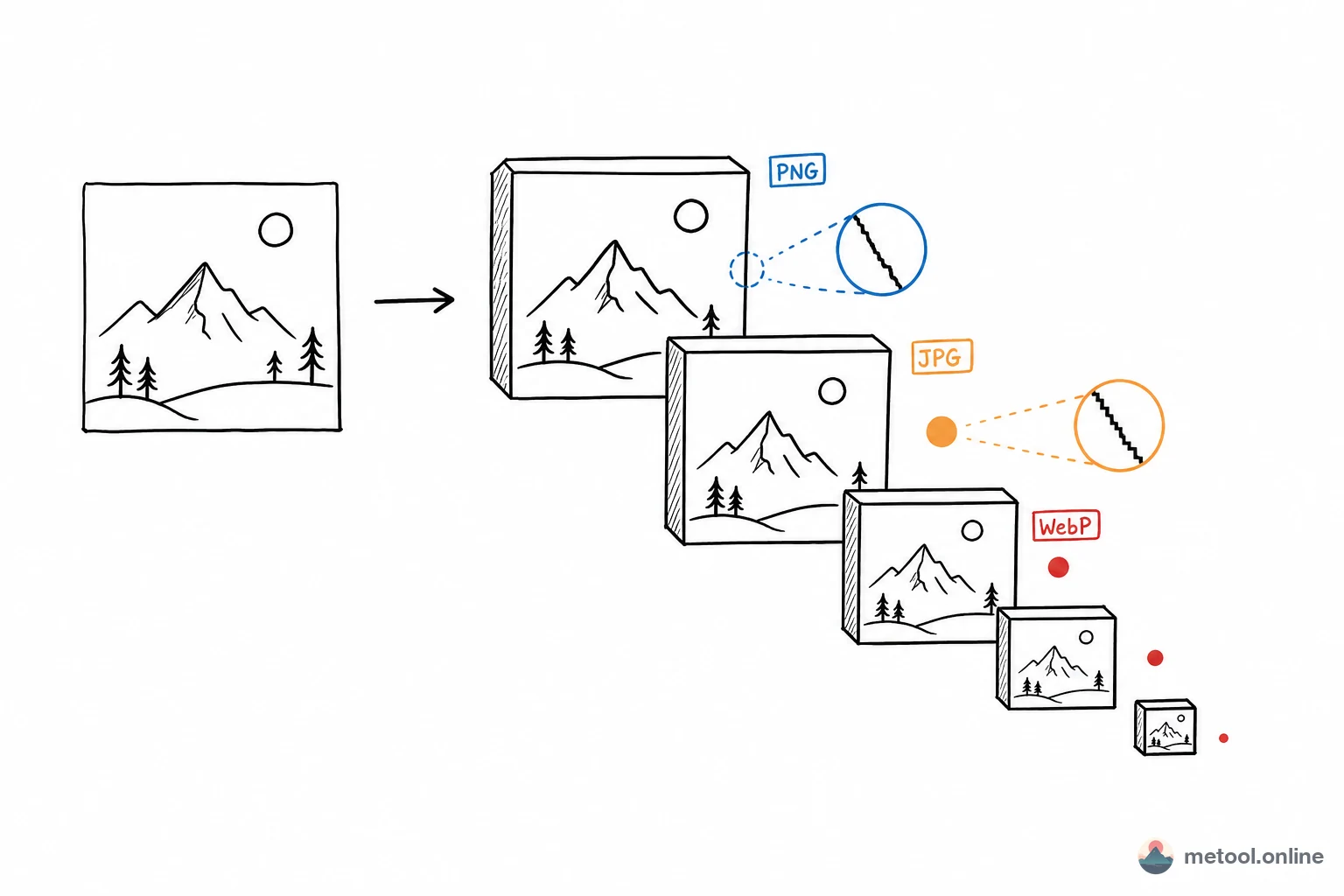
Two Kinds of Compression: Lossy and Lossless
The main split: lossy vs. lossless—different tradeoffs.
- Lossless: pixel-perfect restore. Encodes patterns (run-length, dictionaries)—great for large flat color areas. PNG, WebP lossless, GIF.
- Lossy: drops information the eye barely notices for smaller size—can't fully restore. JPG, WebP lossy, AVIF.
Core idea: lossless suits pattern-heavy images (screenshots, icons, solids); lossy suits smooth color (photos, gradients). First cut: which category is your image?
Why Is Lossy So Effective on Photos?
Photo color changes smoothly and continuously; the eye is insensitive to tiny luminance/color shifts. JPG splits the image into 8×8 blocks, DCT transforms each, then quantizes high frequencies the eye won't miss—discarded detail you wouldn't notice anyway, so size drops with little visible change.
That logic fails on text, lines, solid edges—high-frequency jumps (black on white). Quantization causes ringing and blocks—the "dirty edges" around letters. Common pitfall: text screenshots as JPG look muddy; PNG stays clean and isn't always larger.
Transparency, Animation, and Other Capabilities
Beyond compression, formats differ in features—often hard constraints:
| Capability | JPG | PNG | WebP | AVIF | GIF |
|---|---|---|---|---|---|
| Lossy | ✓ | ✗ | ✓ | ✓ | ✗ |
| Lossless | ✗ | ✓ | ✓ | ✓ | ✓ (256 colors) |
| Alpha | ✗ | ✓ | ✓ | ✓ | ✓ (1-bit) |
| Animation | ✗ | ✗ | ✓ | ✓ | ✓ |
| Compatibility | Very wide | Very wide | Good | Moderate | Very wide |
Direct conclusions: need transparency → not JPG (no alpha); animated content—WebP/AVIF beat GIF on size/quality; max compatibility (old devices, any app)—JPG/PNG remain safest.
How Much Better Are WebP and AVIF?
"Next-gen" formats: smaller at same quality, lossy/lossless/transparency/animation in one package.
- WebP: ~25%–35% smaller than JPG at similar quality; lossless often beats PNG too. Browser support is solid—reasonable default for web.
- AVIF: higher compression, especially at low bitrate. Cost: slower encode, weaker legacy compatibility, slightly higher decode cost.
Tradeoff: newer = slower encode, may not open everywhere. Web can adopt WebP; files for others stay compatibility-first.
Decision Table
Align content type and use:
| Your image | Use | Recommended format |
|---|---|---|
| Photo, gradient, rich color | Web | WebP (JPG fallback) |
| Photo | File share / max compatibility | JPG |
| Screenshot, text, UI, lines | Any | PNG or WebP lossless |
| Needs transparency | Any | PNG / WebP / AVIF |
| Icon, logo (if vector available) | Web | SVG (not bitmap—sharp at any size) |
| Animation | Web | WebP/AVIF; GIF for compatibility |
| Extreme size, controlled environment | Web | AVIF |
Often missed: if you have SVG for icons/logos, don't rasterize—math curves, sharp at any scale, tiny size—not part of the JPG/PNG bitmap discussion.
Workflow: Compress First or Convert First?
After picking format:
- Same format, smaller: image compression tool—tune level for size vs. quality; photos can go aggressive, text conservative.
- Change format: batch PNG → WebP for site speed, or WebP → JPG for unsupported devices. Image format conversion with quality settings.
Usually pick format by content, then compress within that format; compress then convert risks double degradation. Both tools run locally in the browser—images aren't uploaded.
Summary
Split lossy vs. lossless: lossless for screenshots/icons/solids, lossy for photos/gradients. JPG quantizes photos well but dirty-edges text—screenshots need PNG. Transparency and animation are capability gaps—no alpha in JPG. WebP is smaller with broad features—solid web default; AVIF smaller but slower/weaker compatibility; JPG/PNG for file sharing; SVG for vector icons. Use the content+use table, then compress or convert format.