Double-click a downloaded
.texand nothing happens, or Notepad fills with backslashes—that is not corruption. You are looking at source that has not been compiled. Separate “I can read the text” from “I can see the layout,” and opening, preview, and PDF each have a path.
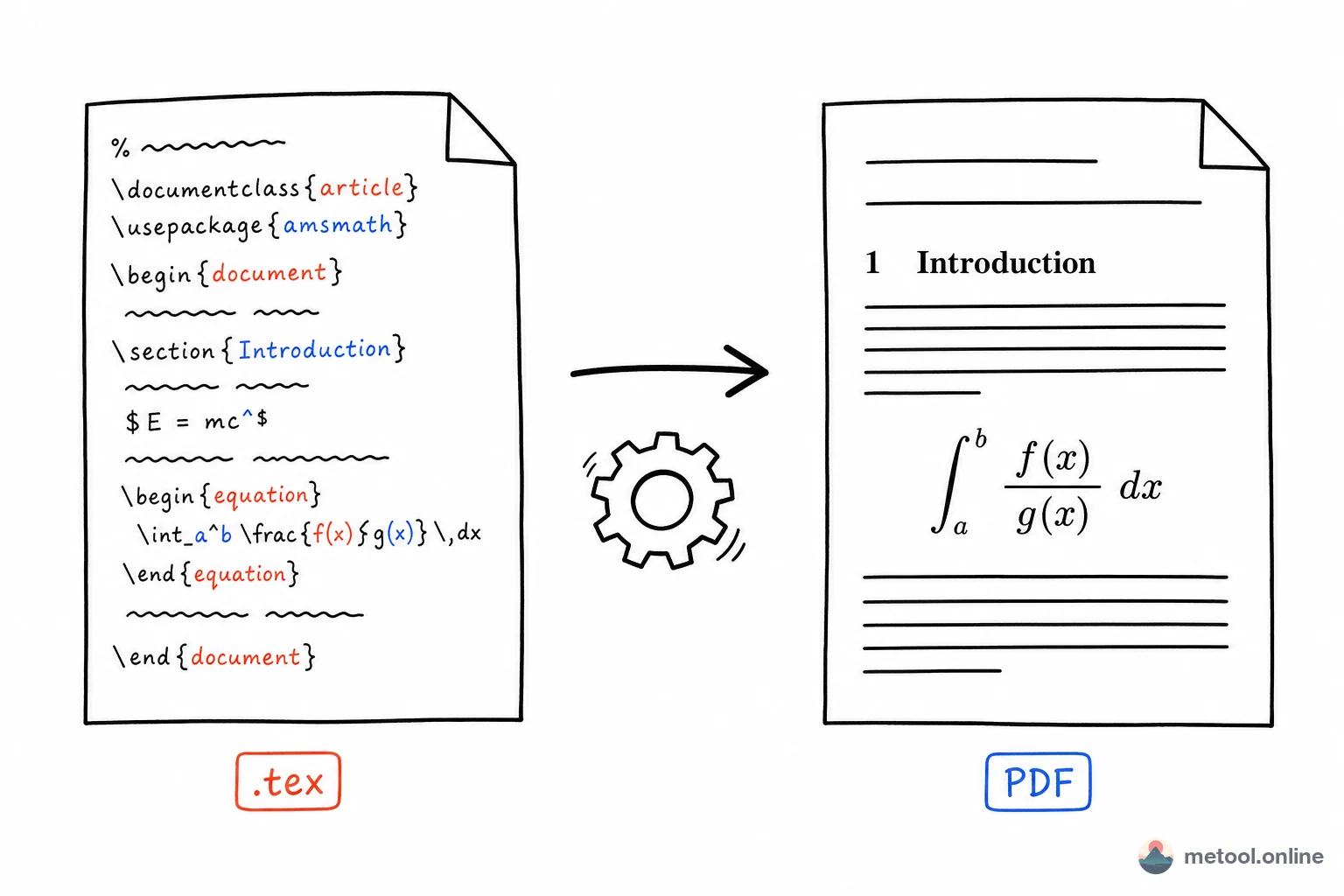
What Is a .tex File?
A .tex file is LaTeX source—plain text that stores how to typeset, not a finished page. A .docx stores layout and opens in Word, so a double-click is the product. A .tex file holds commands such as \documentclass{article} and \begin{equation}; a TeX engine must compile them into a PDF with math, tables, and page numbers.
Think of a program: .tex is source, PDF is the build, the engine is the compiler. That is why the same source, compiled with the same distribution, can match across machines—and why papers still use it. Markdown hashes are a different format. Opening .tex only asks: source or layout?
What Happens If I Double-Click .tex on Windows?
If Windows has never associated .tex, a double-click often launches nothing, or Notepad shows backslashes and braces. With TeXstudio or VS Code plus LaTeX Workshop, the file opens in an editor—still source—until you run a compile. None of that is a bad download. The OS treated .tex as unknown or plain text.
To change the default: right-click → Open with → choose a default app. After you pick an editor that can compile, a double-click can enter a “PDF is possible” environment. You can also leave the association alone and drop the file into a compiling preview each time.
What Happens If I Double-Click .tex on a Mac?
Without MacTeX or a dedicated editor, a Mac often opens .tex in TextEdit—commands, not a typeset paper. After TeXShop, VS Code, or a local Overleaf-style workflow is set as the default, a double-click enters a compiling UI. Same rule as Windows: opening is not typesetting.
If the Mac says it cannot open the file, use Open With → TextEdit and check for text. \documentclass or readable sentences mean the file is fine; compile is what is missing.
Are Backslashes in Notepad a Corrupt File?
No. Notepad and TextEdit do not run TeX commands, so \section{Introduction} stays a string. It is the same class of surprise as hashes in a .md file or tags in an .html file opened as text.
Corruption looks different: the text app opens nothing, a blank buffer, or a wall of replacement characters (``). If you can still read commands and prose, you have not compiled yet. An arXiv source zip must be unpacked first; the project is often a main .tex plus figures and a .bib. Opening one child file can look “incomplete” even when the archive is fine.
How Do I Preview the Typeset Result?
Layout needs a compile. Pick one:
- Local distribution: TeX Live (~4–7 GB) or MacTeX, then compile from TeXstudio or VS Code. Fits long-term writing and unusual packages.
- Compile in the browser: drop
.texinto an editor that runs a TeX engine on the page—source left, layout right—without installing gigabytes. Fits “someone just sent this, I want a look.” - Read the words only: a short file where math appearance does not matter—Notepad is enough; commands are meant to be readable.
Without a local install, the online LaTeX editor is path 2: import, compile, look at layout. That step is “see it,” not the full capability envelope of a submission PDF.
I Can Open It—How Do I Get a PDF? Do I Need TeX Live?
“Open and look” and “export a PDF you can submit” are not the same primary query. Homework, single files, common packages: an in-browser compile is often enough. Missing packages, multi-file projects, or system fonts belong on a local distribution or Overleaf. Limits and how to choose are in LaTeX to PDF without TeX Live. Overleaf versus local versus in-browser is Overleaf, local TeX, or online tools.
| Your goal | Do this | Do not |
|---|---|---|
| Read / edit source | Text editor or compiling preview | Treat “won’t open” as a bad file |
| Check layout | Compile once, browser or local | Send source to a non-TeX reader |
| Hand in / archive PDF | Follow the to-PDF article | Attach only .tex |
Rule of thumb: read commands as text, see layout by compiling, deliver a PDF—do not ask someone else to “open the tex.”
Summary
A .tex that “won’t open” is a missing association or source mistaken for a finished file. No reaction on Windows, backslashes in TextEdit on a Mac, are normal. Compile to see layout; export PDF for everyone else. Capability limits and the three writing environments live in the sibling articles.