You recorded every step correctly—viewers still rewind and ask "where did you click?" Not bad recording—key actions drowned in full-screen pixels. One core fix: auto magnify the region you're operating in at critical moments—pull viewer eyes there.
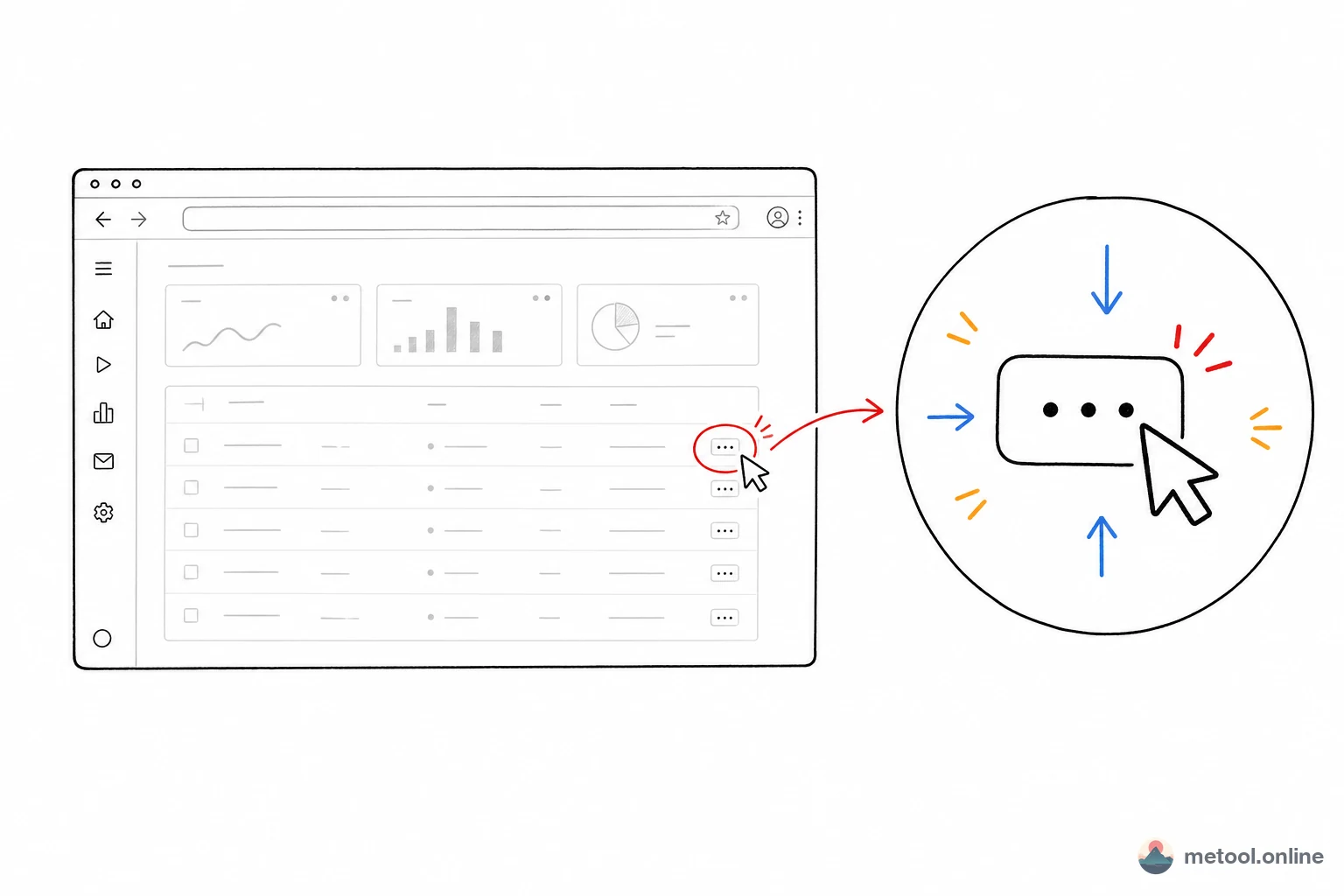
Why Can't Viewers See the Focus in Full 1080p Recordings?
Full-screen capture fills the frame; important details are tiny—which button, which menu item, which terminal line. On 1080p or 2K, viewers hunt instead of watch.
Narration "look top-right" doesn't fix it—eyes still search the full frame, half a beat late and they're lost. Red boxes and arrows help but need frame-by-frame work and clutter the picture. Root cause is spatial—focus area too small; you must magnify it in space.
How Do I Highlight Where I'm Operating?
Best approach: dynamic focus (Dynamic Zoom)—smooth zoom to the action region, hold, ease back to full view. Eyes follow the picture—no red boxes, arrows, or narration cues.
Unlike "zoom the whole video forever," dynamic focus is rhythmic: context → emphasize action → return. Same technique that makes Apple keynotes and good product demos feel professional.
In the screen video editor: upload recording, press Z, box the region—editor creates a Zoom keyframe with ease-in-out in/out (default ~1s transition, adjustable on timeline). Multiple Zooms follow your action rhythm. This step turns "recording" into "demo."
Beyond Zoom—What Makes Screen Recordings Watchable?
After highlighting, pacing and presentation separate quality. Raw captures have loading waits, dead air, menu hunting—viewers leave. Pair with dynamic focus:
- Remove silence and dead segments: one-click silence detection splits and keeps voiced parts—skip manual trimming.
- Speed for pacing: 2x–4x boilerplate/repeat; 0.25x slow-mo on critical steps. Alternating tempo raises density.
- Trim head/tail and stutter: playhead → ⌘B/Ctrl+B split, drag trim, reorder—CapCut/iMovie muscle memory.
- Background polish: wallpaper backdrop, rounded corners (~60px), shadow (~20%), padding, blur—raw capture → product film.
Not optional extras—for product demos, tutorials, bug repros, pacing and focus decide whether viewers finish and remember.
Can I Do This in the Browser Without Installing?
Yes—that's the online editor value. Traditional dynamic focus needs desktop apps (Screen Studio, OpenScreen—Electron). MeTool screen editor puts dynamic focus, edit, speed, silence removal, background in pure browser—zero install, all platforms, CapCut-like shortcuts (Z zoom, ⌘B split, drag trim).
Export uses browser WebCodecs H.264 + AAC GPU encoding—frame-by-frame render of zoom and styles, A/V sync. Progress in IndexedDB—re-upload same file restores clips, Zoom keyframes, style config.
Which Screen Tool Should I Choose?
| Need / tool | Capture | Dynamic focus | Post depth | Install | Price |
|---|---|---|---|---|---|
| Screen Studio | Yes | Strong (auto+manual) | Medium | Desktop (macOS only) | Paid (~$29/mo) |
| OpenScreen | Yes | Yes | Medium | Electron desktop | Open source free |
| Cap (Cap.so) | Yes, strong | Basic | Basic | Desktop/web | Open/paid |
| CapCut / iMovie | No | Manual keyframe zoom | Strong (full editor) | Desktop | Free |
| MeTool screen editor | No (post only) | Strong (first-class) | Medium (screen-optimized) | Zero (browser) | Free |
Logic: record + focus on macOS only → Screen Studio most complete; have file, quick browser post on any OS → MeTool-style online editor; record + share → Cap; complex multi-track, subtitles, effects → CapCut/iMovie. Dynamic focus in full editors = manual scale keyframes; screen-optimized tools = one-click feature.
When Is This Overkill?
If the recording is already simple—single full-screen page, action centered, no dense menus/controls—viewers see fine; Zoom breaks rhythm. Dynamic focus pays off when information density is high and action regions are small: IDE tutorials, multi-panel SaaS demos, bug repro, app guides. Busier UI, smaller controls, stranger audience → bigger gain from dynamic focus.
Short clips with no dead air—silence removal and speed add little. Match tools to content—don't use for usage's sake.
Summary
Viewers miss focus because actions are tiny in full-screen—spatial problem. Dynamic focus magnifies at key moments, returns to context, guides eyes without boxes or narration. Add silence removal, speed, background polish to turn raw capture into demo. Pick tools by record vs. post, platform, depth; with existing recording and browser zero-install workflow, screen video editor: upload → trim silence → add Zoom → polish background → export.