Why an HTML → Markdown converter is still essential in 2026
A huge amount of content still lives as HTML: WeChat articles, blog posts, content copied from rich-text editors, scraped page source, customer emails. When you want to turn that content into your own Markdown notes, or migrate articles to a new Markdown-based platform (Hexo, Hugo, VuePress, Notion…), hand-cleaning tags, stripping inline styles and rebuilding tables is genuinely painful.
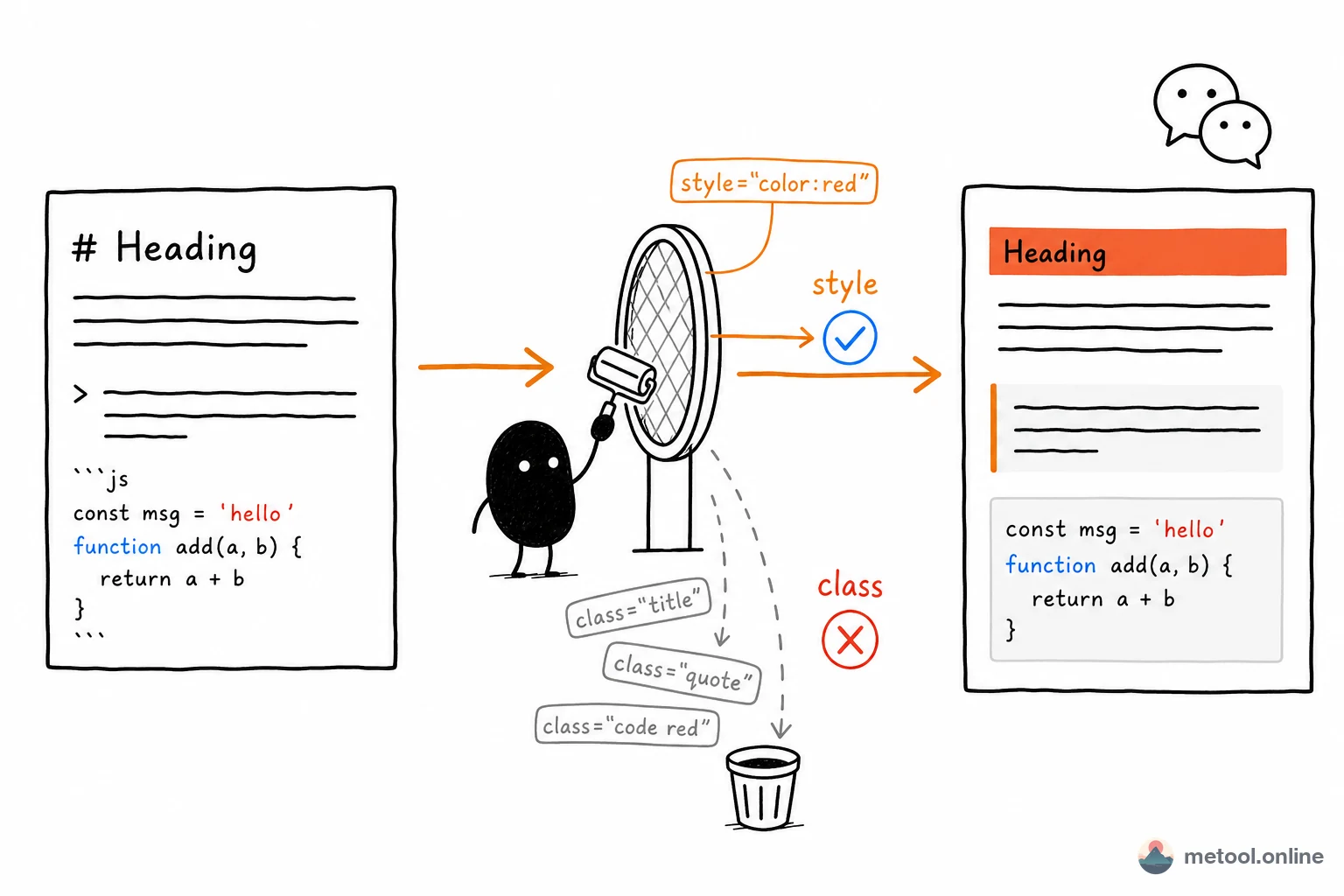
An HTML → Markdown converter reduces the whole thing to "paste → get .md back". MeTool's implementation is built on the proven Turndown library + GFM plugin, with extra preprocessing for the workflow Chinese content creators hit most often: pasting WeChat article HTML (figure unwrapping,
-separated code merging, style-section blockquote detection…).
The key 2026 differentiator: parsing happens entirely in your browser. The source HTML and the resulting Markdown never leave your device — important when you're processing client emails, internal announcements, or unpublished blog drafts.
What kind of HTML does it handle cleanly?
Standard webpage HTML
Headings (h1–h6), paragraphs, ordered / unordered lists, links, emphasis, images, blockquotes — every standard HTML element converts to its Markdown equivalent. The output is readable, editable, and immediately reusable.
Tables (GFM table syntax)
HTML <table> elements convert to standard GFM tables (pipe-delimited), with the first row treated as the header and column alignment preserved when possible.
Code blocks (with language detection)
The converter inspects class="language-js", class="hljs-typescript", data-lang and similar attributes to detect the language, emitting fenced code blocks with the language tag (```js ... ```) so syntax highlighting still works downstream.
WeChat article HTML (special handling)
The converter ships with WeChat-aware rules:
- Detects WeChat's
<figure>image wrappers and pulls out the realdata-srcURL; - Merges WeChat-style code snippets where lines are separated by
<br>into proper multi-line code blocks; - Recognises the
style="border-left..."sections WeChat uses to fake blockquotes and converts them back to Markdown blockquotes; - Strips the heavy
data-*,styleandclassattributes WeChat injects, so the resulting Markdown is clean.
Privacy model: pasted HTML never leaves your browser
Most "online HTML to Markdown" tools send your pasted HTML to their server for processing, which means your customer emails, unpublished blog posts, and internal knowledge fragments all travel through someone else's machine — and even if the tool promises "we don't store it", you can't verify that.
MeTool takes a fundamentally different approach: the Turndown library is loaded into your browser, and parsing, rule matching, and Markdown generation all happen in your browser's memory. No fetch/XHR request sends your HTML out — you can confirm this for yourself in the browser DevTools Network panel. That makes it a safe choice for sensitive material.
Tips: how to paste complex HTML for the best results
- From a webpage: right-click → "View Page Source", find the chunk of HTML you want, copy and paste here. If you only want one article body, narrow your copy to the
<article>or<div class="content">region — that avoids dragging in headers, sidebars and ads. - From a WeChat article: open the article in your browser, right-click → "View Source", copy the full HTML and paste here. MeTool automatically locates the
#js_contentcontainer, strips the styling, and converts what's inside. - From a rich-text editor: Notion, Lark, Yuque and similar editors support "copy as HTML". Pasting that HTML here usually yields more reliable results than the editor's own "copy as Markdown" option (especially for tables and code blocks).
- Polish after converting: treat HTML → Markdown as a cleanup pass. Once you have the .md, open it in the Markdown editor for a final human review before publishing.