2026: how do Markdown writers ship a draft to WeChat the fastest way?
If you keep your .md files as the single source of truth — writing your knowledge base in Obsidian, your tech articles in VSCode, your reading notes in Typora — then "publish this .md to WeChat" is a very specific last-mile problem. WeChat's built-in editor doesn't speak Markdown. Copy-pasting from .md directly into WeChat loses about 80% of the formatting: heading hierarchies flatten, code blocks lose syntax highlighting, blockquotes degrade to plain paragraphs, and tables collapse to tab-separated rows.
Most WeChat typesetting tools assume "the user has no .md source — they'll write here on our platform". So they want you to sign up, save drafts to their cloud, turn your draft into "an article on their service". That's not how Markdown writers work. The source lives locally, is managed in Git, and may need to be published to a blog, Zhihu, WeChat, even Twitter — at the same time. What's needed isn't yet another writing platform, it's a "style adapter".
MeTool's Markdown → WeChat tool is built around exactly that positioning: paste your .md straight in, the right pane shows a true WeChat-article live preview, copy and paste into the WeChat backend editor, and every Markdown construct is correctly converted to WeChat-compatible HTML. No sign-up, no server-side draft storage, no account binding. It only does one thing at the very end of your workflow: translate Markdown into WeChat's "dialect".
Why do Markdown writers stumble when publishing to WeChat?
① Copy-paste loses formatting
Copying Markdown text from VSCode / Typora into the WeChat editor gives you plain text. Copying the rendered HTML keeps some styling, but code blocks, tables and image captions usually break.
② WeChat enforces its own private styling system
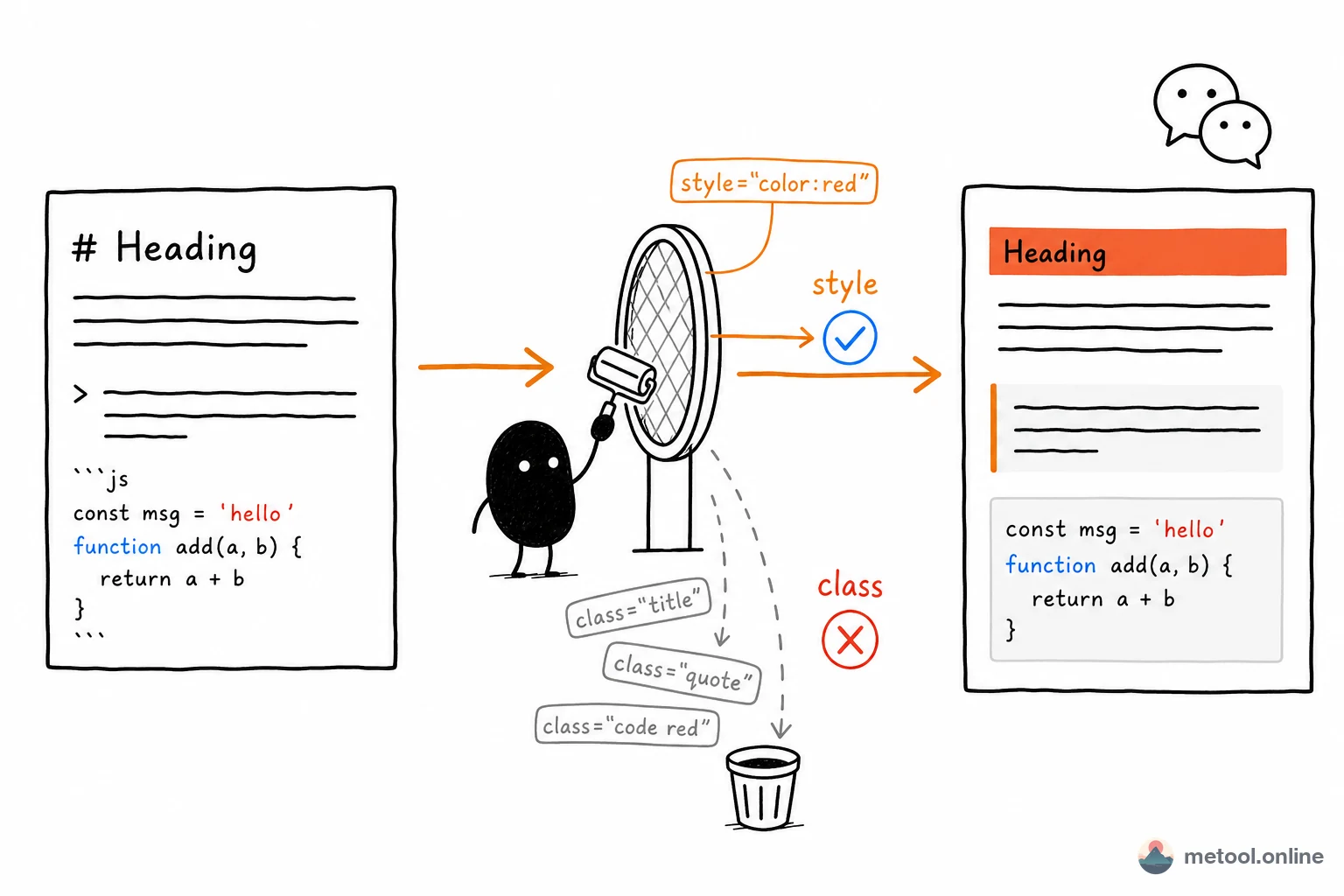
Underneath, WeChat is HTML — but it imposes strict limits on custom CSS classes, inline styles, and custom tags: SVG, Mermaid, KaTeX outputs typically get stripped. "HTML that looks pretty in the browser" and "HTML that renders correctly in WeChat" are two different things.
③ Code blocks break particularly easily
WeChat's editor handles <pre><code> in subtle ways — code blocks without language hints render as a single line; highlight.js classes need to be inlined as styles WeChat preserves; long blocks may be truncated. A tool that handles these details saves about 80% of post-publish cleanup time.
④ Multi-platform publishing is the norm, not the exception
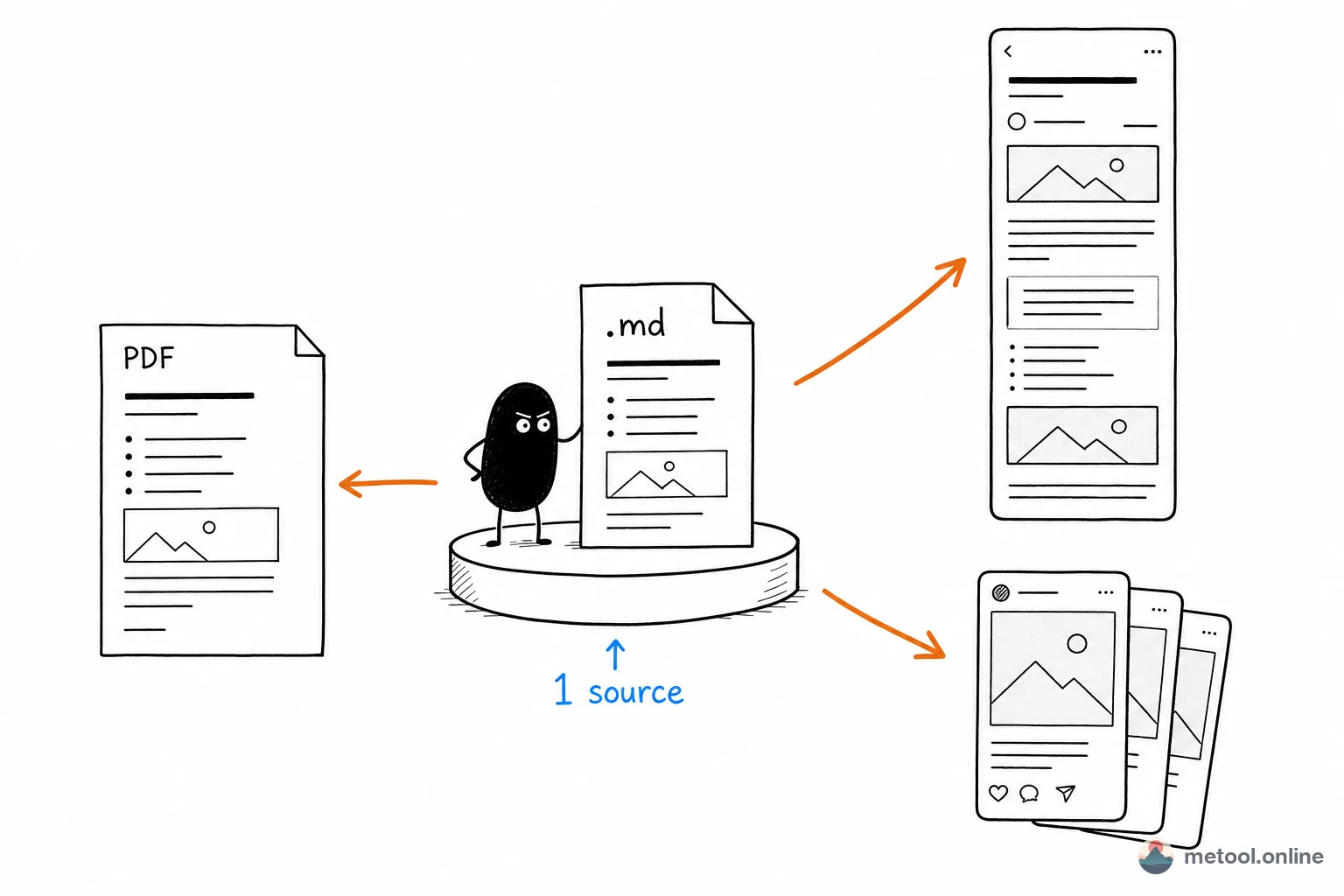
2026 content creators rarely publish to a single platform — the same tech article often goes to WeChat, Zhihu, a personal blog, and Twitter / X simultaneously. Re-formatting for each platform every single time isn't sustainable. One .md source → multiple distribution variants is a required workflow.
How does MeTool address these issues?
- Local image upload & persistent storage: the tool auto-scans for local image paths in your Markdown (e.g.
) and prompts you to upload them. Uploaded images are stored as Base64 in browser IndexedDB and survive page reloads. Already have a folder or .zip with your .md and images together? Just "Import Folder" or import the .zip — images are matched by filename automatically, zero manual work. - True WeChat-style preview: the right pane uses the same styling constraints as the WeChat editor — what you see is what you publish, no more "pretty in browser, broken in WeChat" surprises.
- Code blocks with syntax highlighting: 80+ programming languages supported, with class-based styles inlined as
styleattributes WeChat preserves. Highlighting survives the copy-paste. - Blockquotes, tables, image captions: every WeChat-supported element is mapped correctly. Elements WeChat doesn't support degrade gracefully to clean plain text instead of broken styling.
- localStorage + IndexedDB auto-save: text drafts and images stay in your browser, never uploaded. Close the page, reopen, keep going.
A Markdown writer's one-source-many-channels pipeline
Slot this tool into your workflow:
- Source stays local: keep writing .md in Obsidian / VSCode / Typora, images in the same folder, version-managed by Git.
- Publish to WeChat: import the .md + image folder (or .zip) into this tool, images are matched automatically, then hit "Copy to WeChat" — images paste right into WeChat with the rest of the formatting.
- Sync to Xiaohongshu: the same .md goes to Markdown → Xiaohongshu Cards for an auto-sliced image carousel.
- PDF / Word for clients: jump to Markdown → PDF / Word and export — images are embedded in the output file too.
- Personal site / self-hosted blog: push the same .md to your Hexo / Hugo / VuePress repo.
One source covers 5 channels. The whole flow doesn't touch your source draft, doesn't depend on any cloud service, doesn't need any subscription. This is the highest-ROI workflow available to Markdown writers in 2026.