AgentUp — Use AI the Way You Use WhatsApp · Open-Source Desktop AI Assistant
An open-source desktop app that turns AI specialists into contacts: add helpers like friends, one assistant for one kind of job. They can read files on your computer and save results back to your desktop. macOS & Windows.
Preview
agentup.me — Visit Website
Key Features
Add Assistants Like Friends
Add AI specialists to your contacts: papers, code, and weather each get their own assistant. Add once and come back anytime — when a specialist improves, your side updates too.
Build Your Agent Team
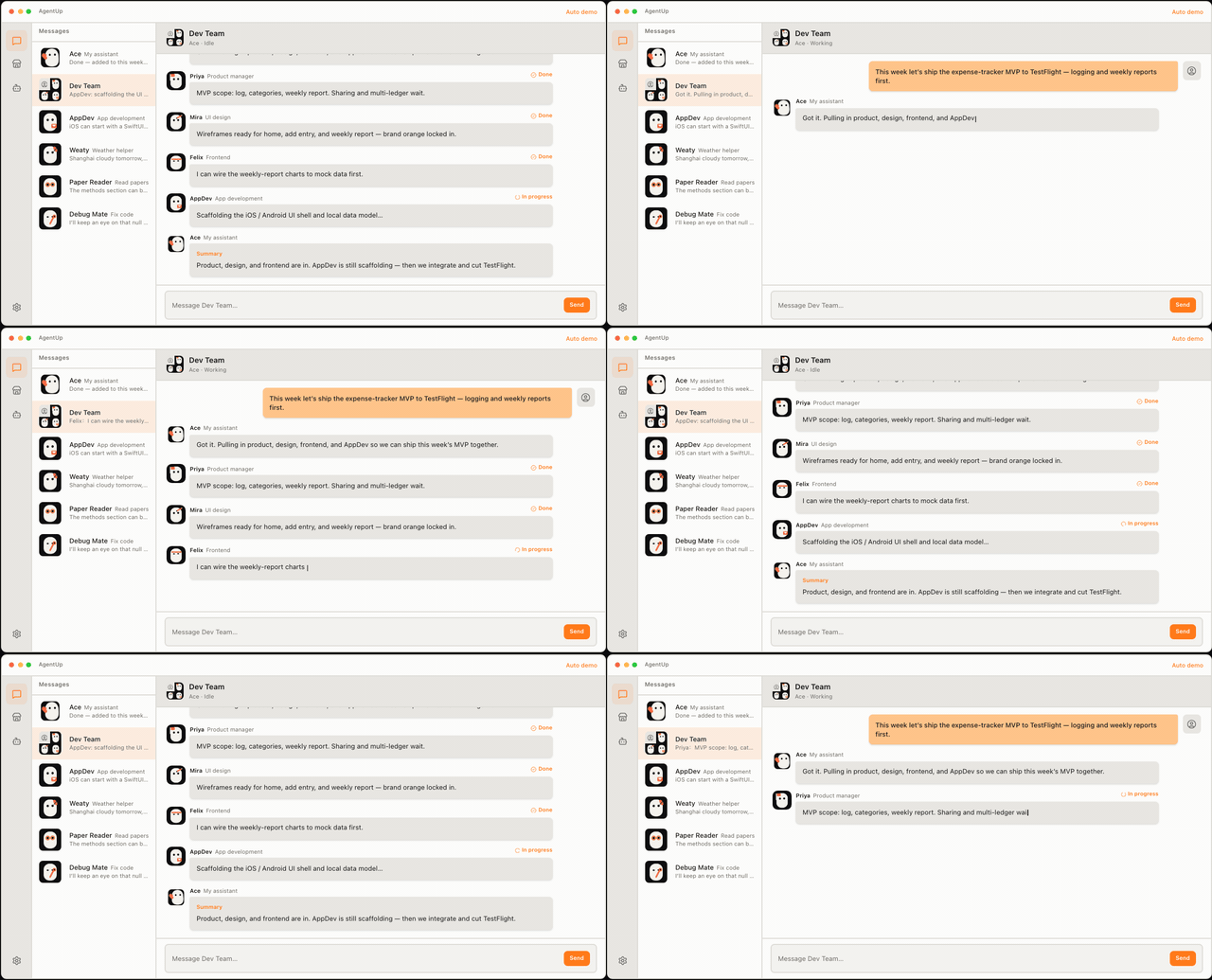
Organize assistants into your own squad: product, design, frontend, backend — each owns a craft. When a job spans roles, tell your personal assistant the goal and it pulls in the right teammates.
One Chat, One Job
Cram papers, code, and trip plans into one assistant, and even 'do I need an umbrella?' goes sideways. In AgentUp, one assistant handles one kind of chat — memories stay separate and answers stay clean.
Works on Your Computer
Assistants run on your own machine: they can read files on your desktop and save finished PPTs and charts right back to your folders. Chats stay local by default.
How It Works
Download & Install
Get the macOS / Windows installer from GitHub Releases; on macOS, run the quarantine-fix command once in Terminal.
Add Your First Assistant
Add the specialist you need to your contacts, like adding a friend.
Ask Like Chatting
Just say what you need in the assistant's chat; the same kind of ask goes back to the same chat with its context.
Let AI Work on Your PC
Have the assistant read local files and organize things — results land right back in your folders.
Feature Demos
Add an Assistant
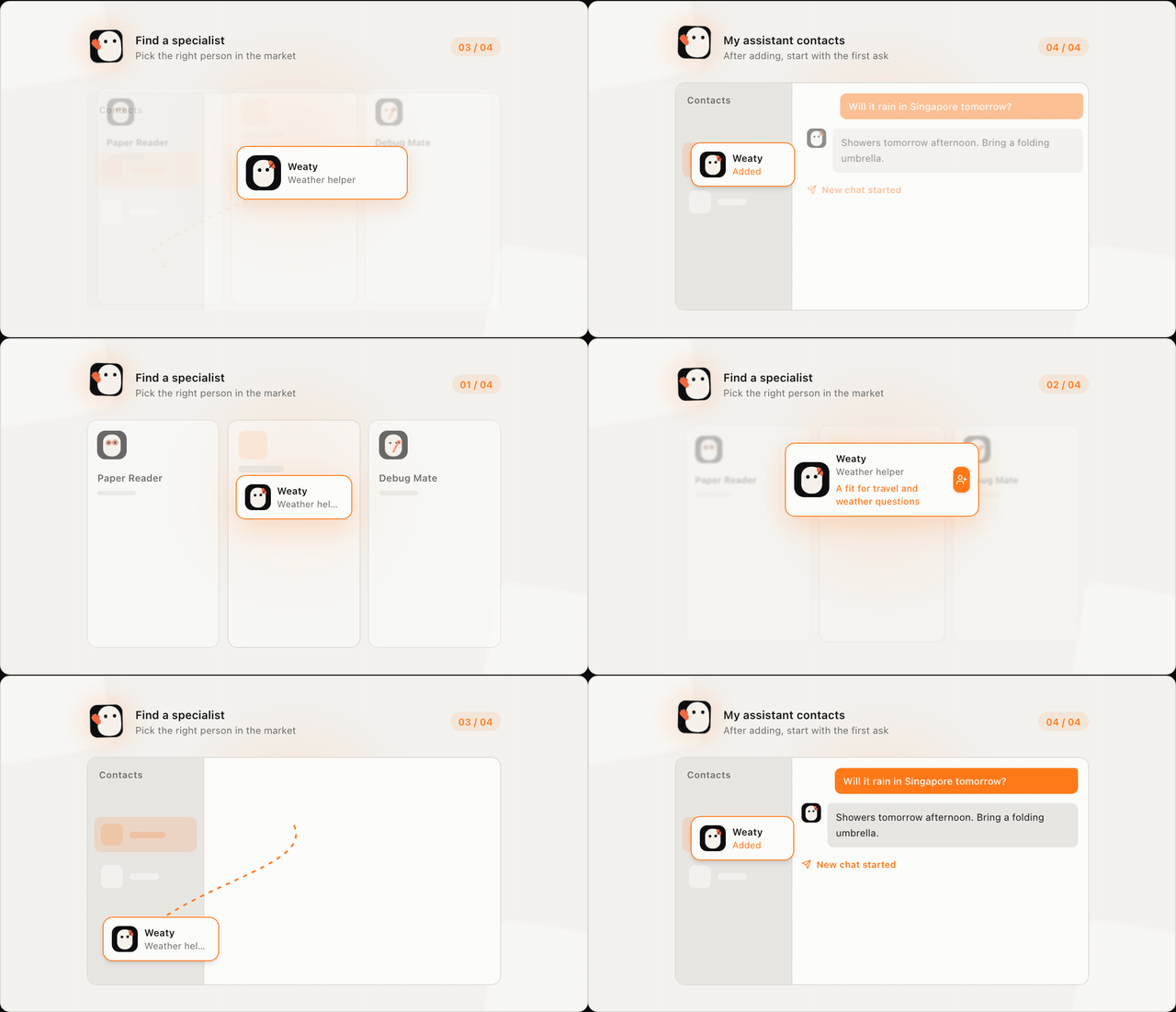
Find a specialist like finding a friend, then start your first chat.
Agent Team Collaboration
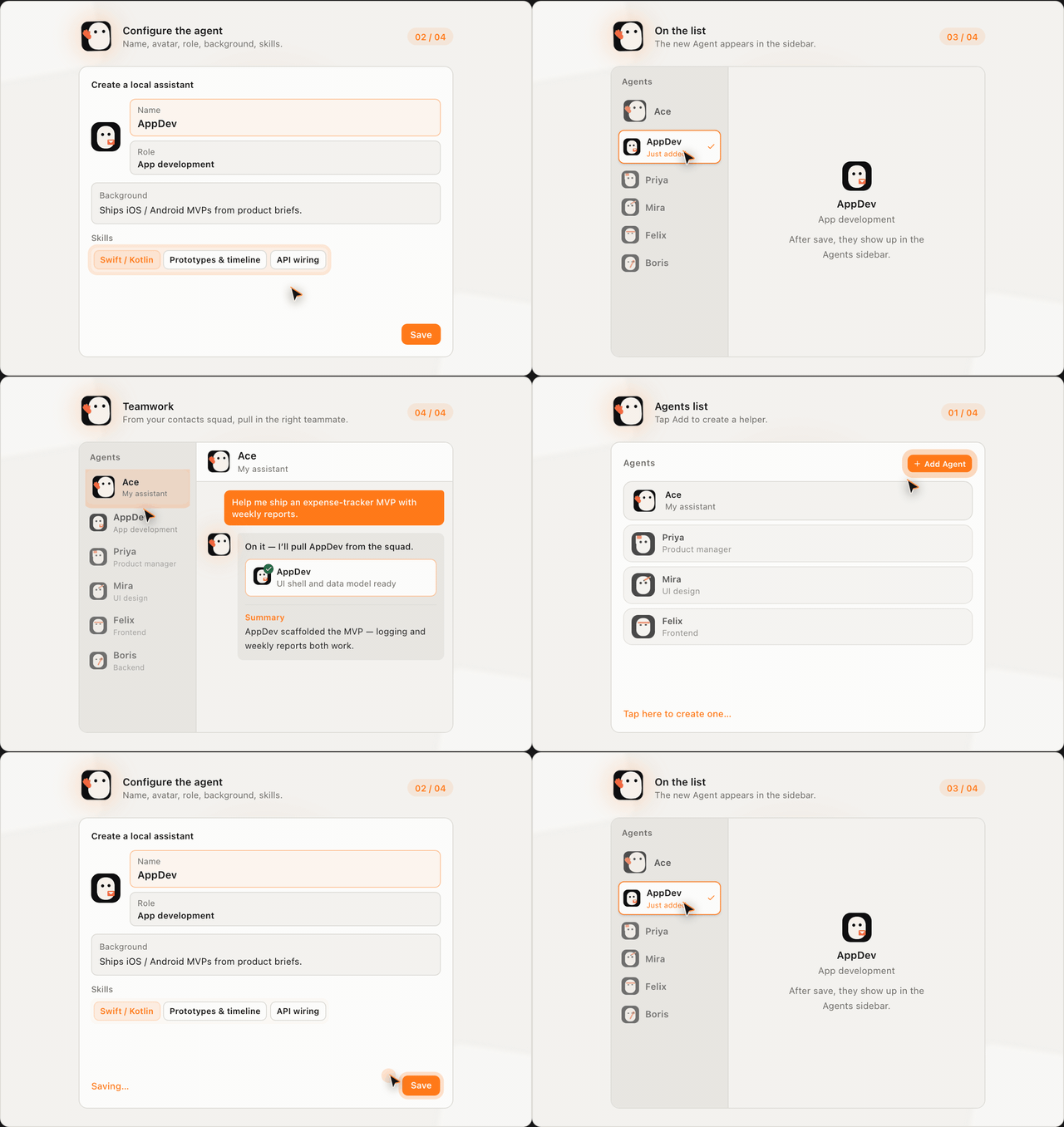
Each assistant brings its own craft; cross-domain jobs get done as a team.
All-in-one AI vs One Chat Per Job
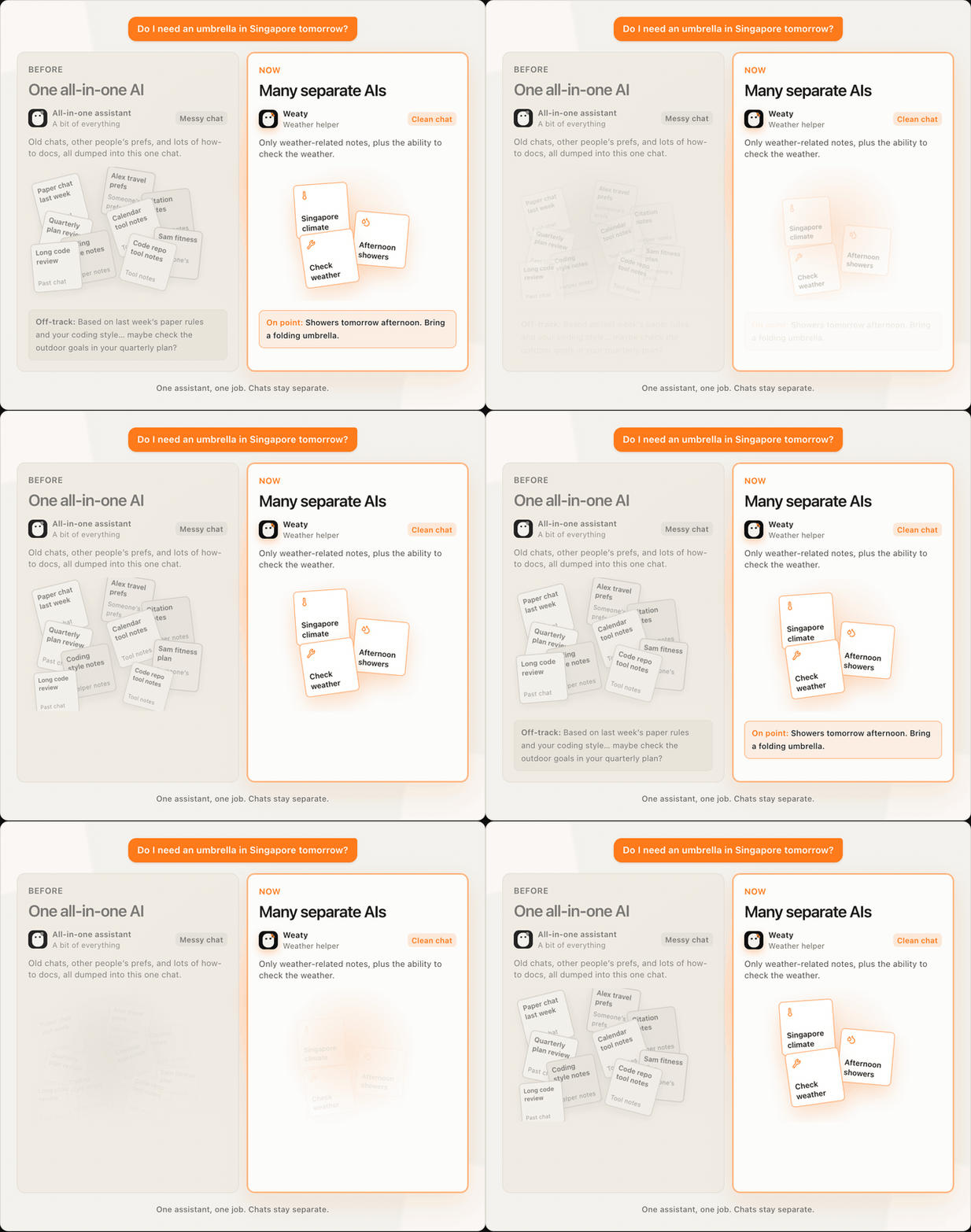
Same question, two ways to chat, two very different answers.
Works on Local Files
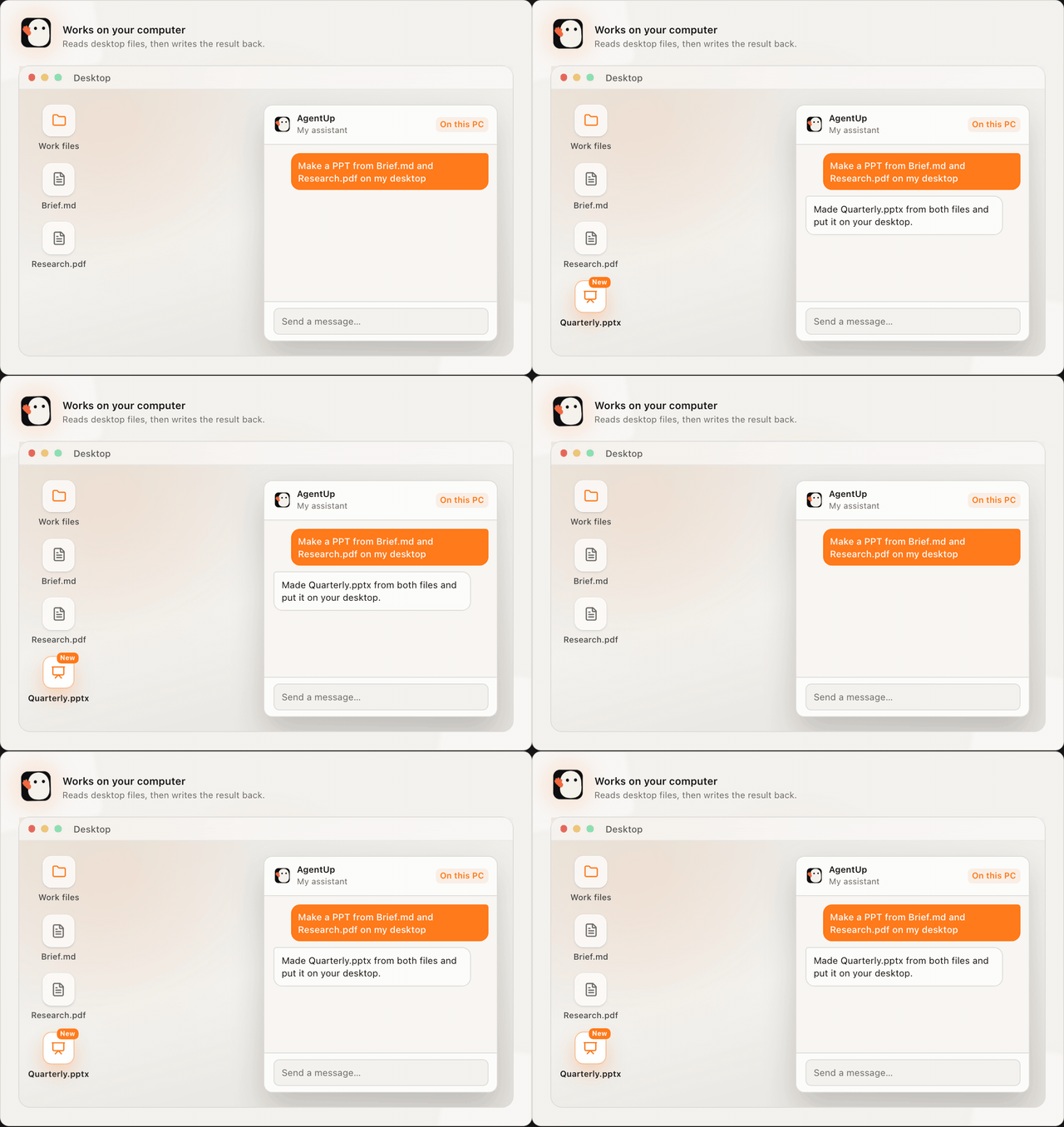
The assistant reads desktop files and writes results back to your folders.
Supported Platforms
Download & Install
$xattr -cr /Applications/AgentUp.appAfter moving the app into Applications, run this command in Terminal so macOS will open the app.
Tell us what you want, AI will help you realize it
This site is built together with its users — your suggestion will be turned into a real feature by AI. See what everyone's hoping for, vote, follow, and help make it happen.
Frequently Asked Questions
- Yes. AgentUp is open source (Electron + Vue desktop, with a local Node runtime). You can download the installer for free from GitHub Releases, and the full source code is public.