Installing several GB of TeX just to export one PDF is poor value. But online conversion has limits—know what it can and cannot compile so you save effort on everyday work without failing on critical projects.
How Does LaTeX Become PDF?
LaTeX to PDF is compilation: the TeX engine reads .tex source, follows layout instructions to place every character, formula, and figure, paginates, and outputs PDF. Engines differ—pdfLaTeX is fast but weak on Chinese; XeLaTeX/LuaLaTeX support system fonts and Chinese. Whether online conversion succeeds depends on which engine, packages, and fonts are built in.
The traditional path is local TeX Live (Windows/Linux) or MacTeX (macOS)—about 4–7 GB—then compile via command line or editor. Many people only need "the last step: export PDF" but get blocked by that install size.
When Is Online Conversion a Good Fit?
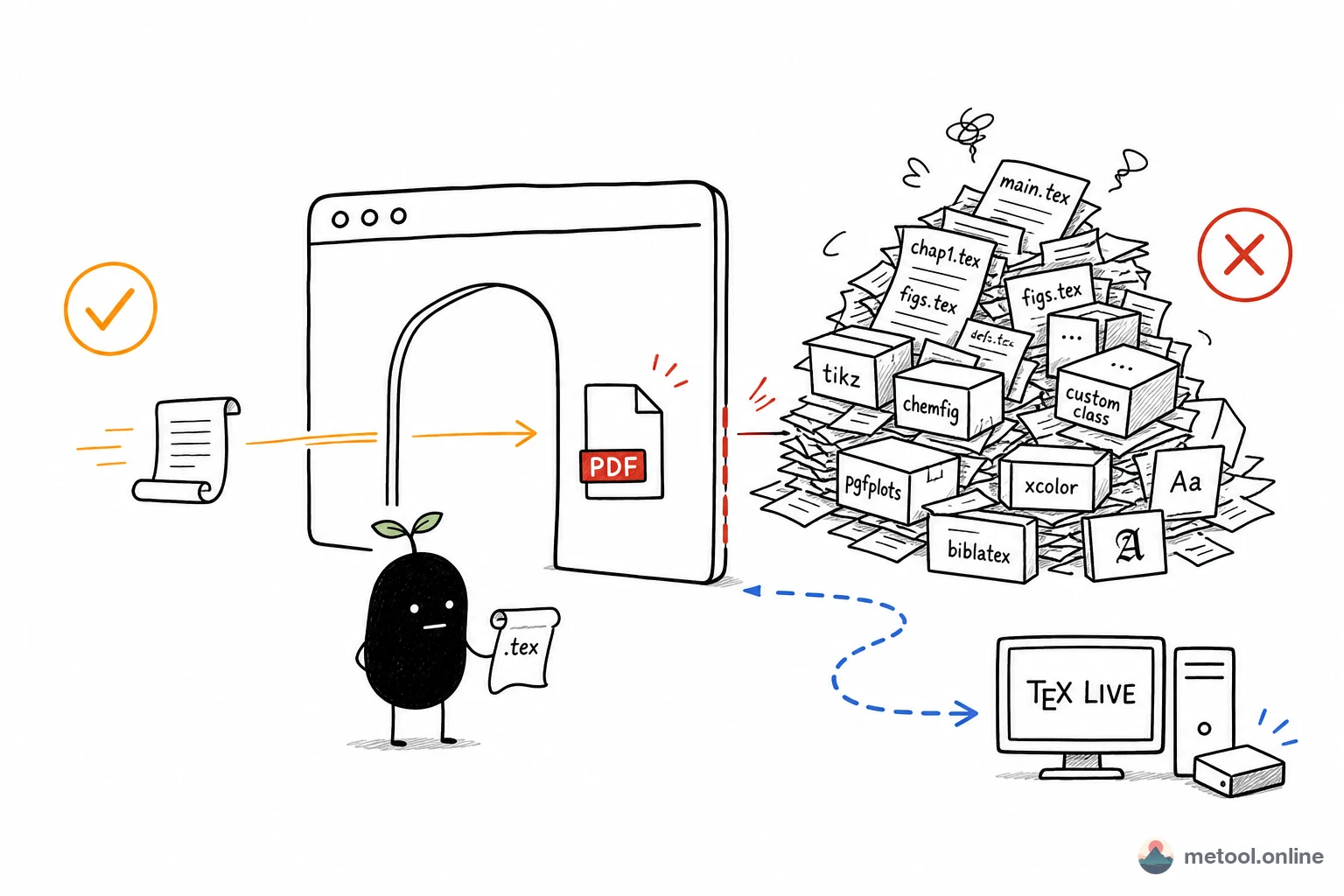
One-off, everyday, routine typesetting. Paste or import .tex, compile in the browser to a paginated PDF—formulas, tables, and sections work without installing TeX Live. LaTeX to PDF is that path. If double-clicking .tex fails and you only need to read source, see How do I open a downloaded .tex file?. This article is only “I already have source; I need a PDF.”
Typical fits:
- Assignments, reports, resumes, single-paper drafts;
- Received someone else's
.texand need a PDF for archive or print; - Quick edits then export.
When Must You Use Local TeX?
When document complexity exceeds what the in-browser bundle can handle, local is more reliable:
- Obscure packages or custom document classes: online bundles a common subset—missing packages fail compilation;
- Large multi-file projects: many
\inputfiles, complex bibliography chains (BibTeX/biber, multiple passes); - Specific Chinese font requirements: local fonts, fine Chinese typography.
One-line rule: routine documents online; heavy/custom projects local. When unsure, try online first—error messages tell you if packages or fonts are missing.
Side-by-Side Comparison
| Dimension | Online conversion | Local TeX Live / MacTeX |
|---|---|---|
| Install cost | None | ~4–7 GB + setup |
| Package completeness | Common subset | Full |
| Chinese / custom fonts | Depends on bundle | Fully controllable |
| Where it runs | In-browser engine | Local distribution |
| Best for | Everyday, one-off docs | Large, custom projects |
Summary
Installing full TeX for "export once" is poor value, but online conversion is not an unconditional replacement. Remember the line: routine everyday documents—online is easiest; obscure packages, custom fonts, or large multi-file projects—local TeX. Once you understand that engine + packages + fonts decide success, you can pick the right path.