Why You Need an Online PDF Compressor in 2026
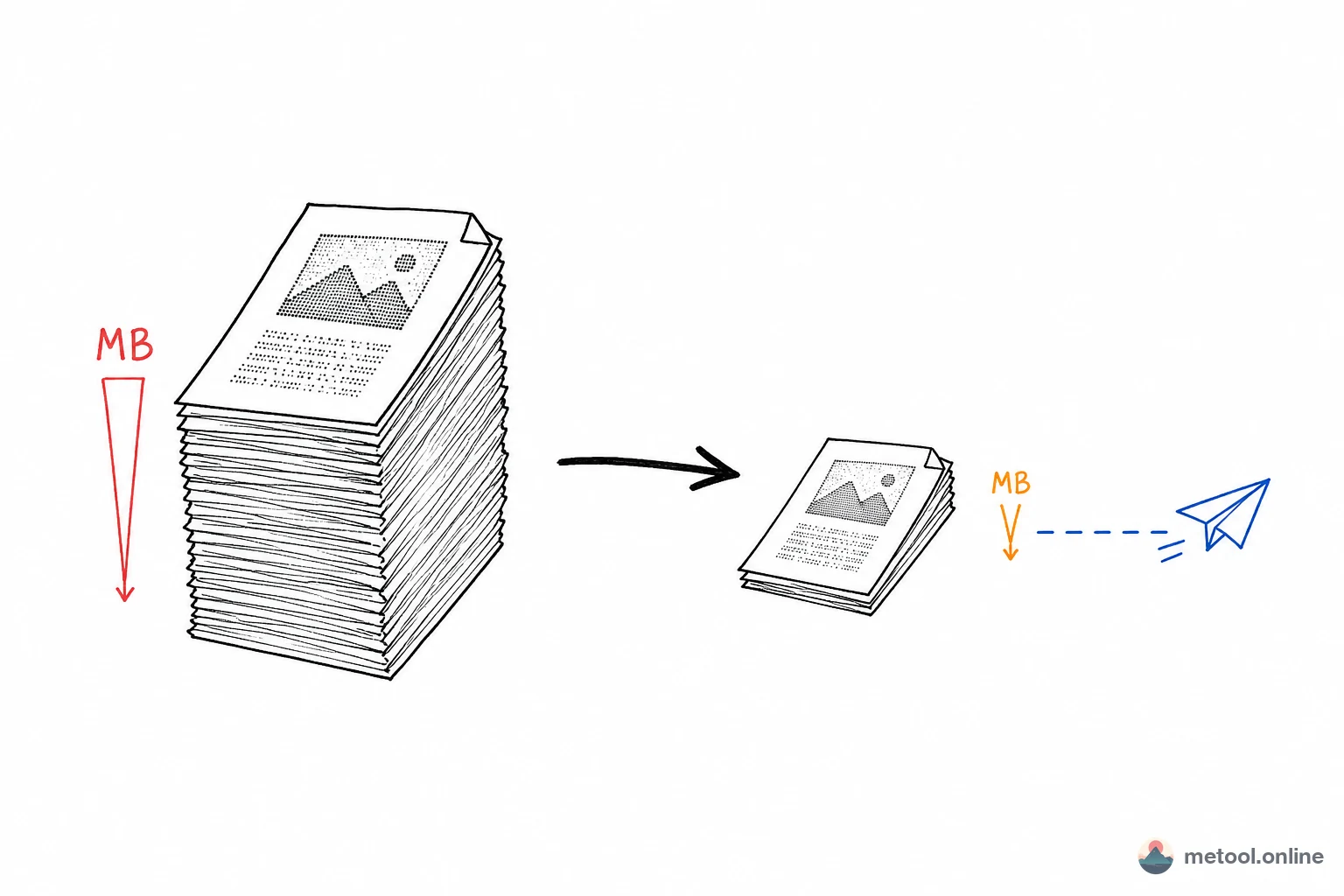
In everyday work, oversized PDFs are a constant pain point — contract scans running tens of megabytes, invoices and ID scans too large to email, government portals with strict upload size limits. Image-based PDFs and scanned documents are particularly problematic because each page is essentially a high-resolution image.
MeTool's PDF compressor offers a better alternative in 2026: smart image re-encoding can compress scanned PDFs to 10%-30% of their original size while keeping text clearly readable. All processing runs entirely in your browser — files never leave your device.
Deep Compression for Image-Based PDFs: Why Scanned Documents Compress So Well
Scanned PDFs = Image Collections — Massive Compression Potential
PDFs from scanners or phone cameras contain a high-resolution image per page (typically 300dpi, 2-5MB per page). MeTool's engine extracts and re-encodes page images — maintaining readability while compressing each page image by 70%-90%.
Two-Stage Compression Strategy
The tool first attempts lossless optimization. If results are insufficient, it automatically switches to image re-encoding compression. The entire process is automatic — no manual configuration needed.
When do you most need to compress a PDF?
Email attachments exceeding size limits
Most email providers cap attachments at around 25MB per message, and phone-scanned contracts or invoices routinely exceed that. Compression usually gets them well within the limit so they can be sent directly.
Government or bidding portal upload limits
Many government e-service and tender platforms enforce strict per-file size caps (5MB or 10MB is common). Large scanned documents must be compressed first to avoid rejection by the system.
Archiving scanned documents in bulk to save storage
Businesses and individuals often need to keep large volumes of scans (contracts, receipts, ID documents) long-term. Uncompressed files quickly eat up cloud or local storage quota; compression saves significant space while keeping content readable.
Will the text still be readable after compression? Could it become too blurry?
MeTool's compression algorithm is specifically tuned for text-heavy scans: during image re-encoding it intelligently prioritizes clarity in text regions rather than applying uniform, aggressive compression to the whole page. Most everyday scans (contracts, invoices, ID documents) remain clearly readable after compression. However, if the original scan was already low-resolution or blurry, compression can't retroactively improve clarity — check your source scan quality before compressing.
Frequently Asked Questions
Q: Does compression change the page count or page dimensions? A: No. Compression only optimizes the embedded image data on each page — page count, dimensions, and layout stay the same.
Q: Can all PDFs be compressed to 10%-30% of their size? A: That compression ratio mainly applies to image-based PDFs (scans). If a PDF is text-based (exported directly from Word or a webpage, with selectable text rather than images), it's usually already small, so the compression headroom is more limited — the tool still attempts lossless optimization but the reduction may be less dramatic than with scanned documents.
Q: Can compressed PDFs still be searched for text? A: If the original PDF had a searchable text layer, that layer is preserved after compression and remains searchable and copyable. If the original scan had no text layer (pure image scan), compression doesn't add one — you'd need a separate OCR tool for that.
Q: What if compression fails or the result isn't good enough? A: Try re-uploading to confirm the file isn't corrupted. Larger files with many pages naturally take longer to process — allow the process to finish completely before reviewing the result.