Double-click a downloaded
.mdand get Notepad or a screen of#,*, and backticks—not because the file is broken, but because you are looking at source, not rendered layout. Separate “I can read the words” from “I can see the layout,” and opening, previewing, and handing it to someone else all have a path.
What Is an .md File? Why Doesn't It Look Like Word on Double-Click?
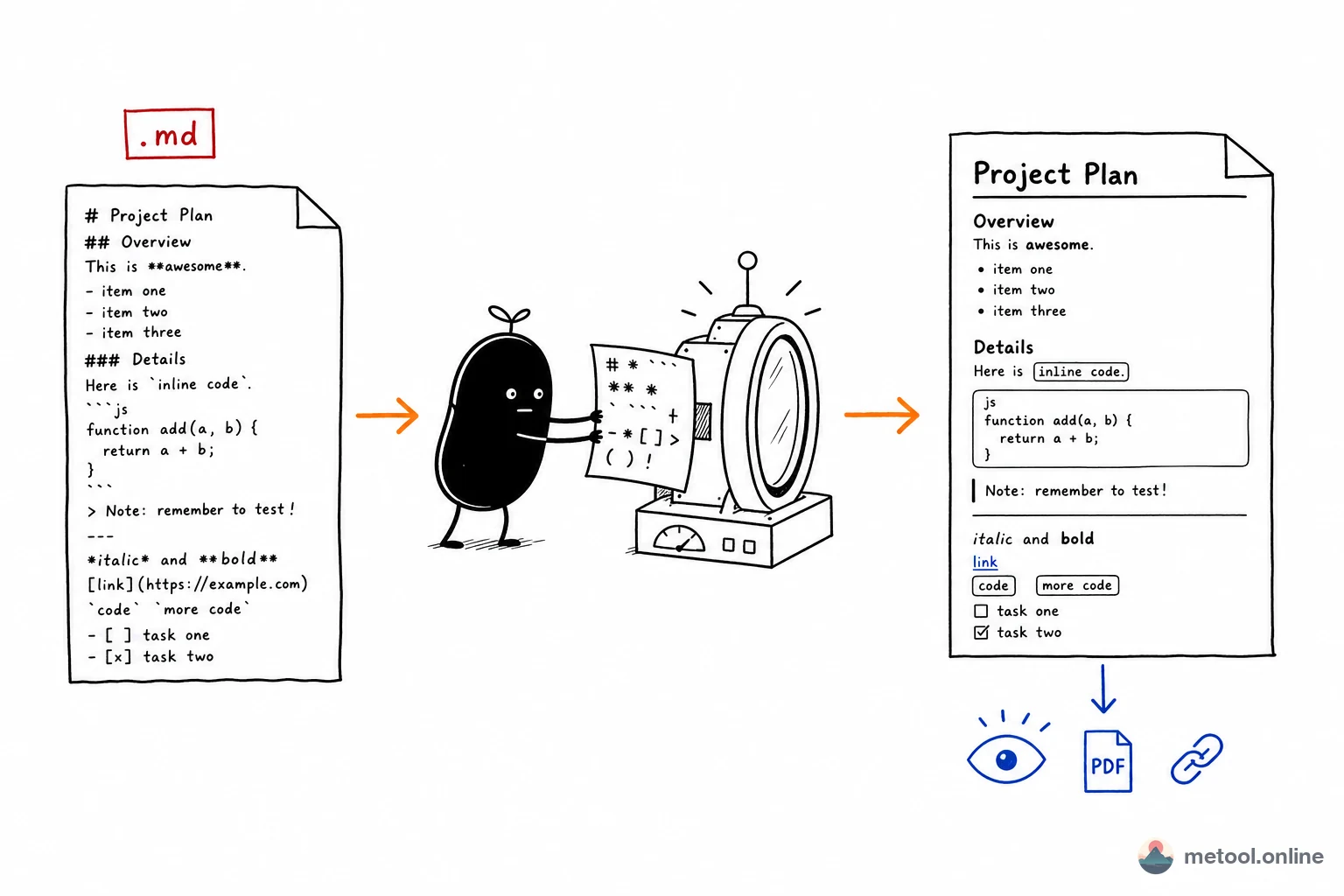
An .md file is Markdown: plain text with lightweight markup. # marks a heading, * marks emphasis or a list, backticks mark code. Those symbols are instructions for a renderer, not the final page style.
A .docx stores layout inside the file, and the OS opens it in Word, so a double-click is already formatted. The OS usually does not associate .md with a renderer, so a double-click only means “open a pile of characters in a text app.” The question is not “which app can open this” (Notepad can)—it is “what turns source into headings and lists.” How to write # and * is syntax; see how to write Markdown. This article only covers opening and handing the file to someone else.
What Happens If I Double-Click .md on Windows?
If you have not changed the default, Windows usually opens Notepad: hashes, stars, backticks, which feels like “it won’t open” or “garbled.” If VS Code is installed, the file may open there instead—source on the left until you turn on preview. Neither case is a corrupt file; Windows is treating .md as plain text.
To change the default: right-click → Open with → choose a default. After you pick an editor with preview, a double-click can show layout. You can also leave the default alone and drop the file into a preview each time.
What Happens If I Double-Click .md on a Mac?
Without a dedicated editor, a Mac often opens TextEdit: still source, # Heading will not become a large title. After you install Typora, VS Code, or Obsidian and set it as the default, a double-click enters a previewing UI. Same rule as Windows: opened ≠ rendered.
If the Mac says it cannot open the file, use Open With → TextEdit first. If you can read sentences, the file is fine—you only lack a preview.
The File Is Full of Hashes in Notepad—Is It Corrupt?
No. Notepad and TextEdit do not execute Markdown markers, so # Meeting notes stays those characters plus a space plus the words. It is the same idea as opening .html in Notepad and seeing tags.
Corruption looks different: the text app opens to emptiness, or you see replacement characters (``) instead of readable sentences. If the sentences are there and merely wrapped in # and *, the file is not rendered yet. Most “my colleague’s md won’t open” reports are that first case.
How Do I Preview the Formatted Layout?
Layout requires a renderer. Pick one:
- Local preview: VS Code → Markdown preview; Typora or Obsidian show a live or side-by-side view by default.
- Browser preview: drop the
.mdinto a split-pane web editor; the right side renders immediately, no install. Fits “I just want to see what they sent.” - Read as text: short doc, layout does not matter—Notepad is enough. Markdown was designed so source stays human-readable.
If you have no local editor, the Markdown online editor is path 2: import or drag the .md, the right pane is the render. That step only answers “see the layout”—export can wait.
How Do I Send This to Someone Who Doesn't Use Markdown?
Do not email the raw .md to a client, teacher, or non-technical colleague—they will double-click into Notepad and hashes again. Match the goal:
- Formal delivery (archive, signature, Word/PDF only): convert to a format they already use. Headings, lists, and tables should become real Word styles or PDF layout, not pasted symbols. Pitfalls and methods: Markdown to Word or PDF.
- A five-minute look (brief, notes, a proposal): preview it yourself, then send a PDF or a browser preview page. They never need to know what Markdown is.
| Your goal | Do this | Do not |
|---|---|---|
| Read / keep editing | Preview the source (local or browser) | Treat Notepad’s hashes as a broken file |
| Hand to a client or teacher | Convert to Word or PDF | Attach the .md |
| Let them glance for five minutes | Preview page or one PDF | Ask them to install an editor |
Rule of thumb: edit → preview the source; deliver → change format; a web preview is fine, but do not make a non-user “open the md.”
Wrap-Up
An .md that “won’t open” is the OS treating it as plain text, not a damaged file. Hashes in Notepad or TextEdit are normal. Preview when you need layout; convert to Word/PDF when you hand it to someone else. Syntax and export pitfalls live on their own URLs—do not pile them into “how do I open this.”
- How to write the markers: Markdown syntax
- Word / PDF delivery: Markdown to Word or PDF