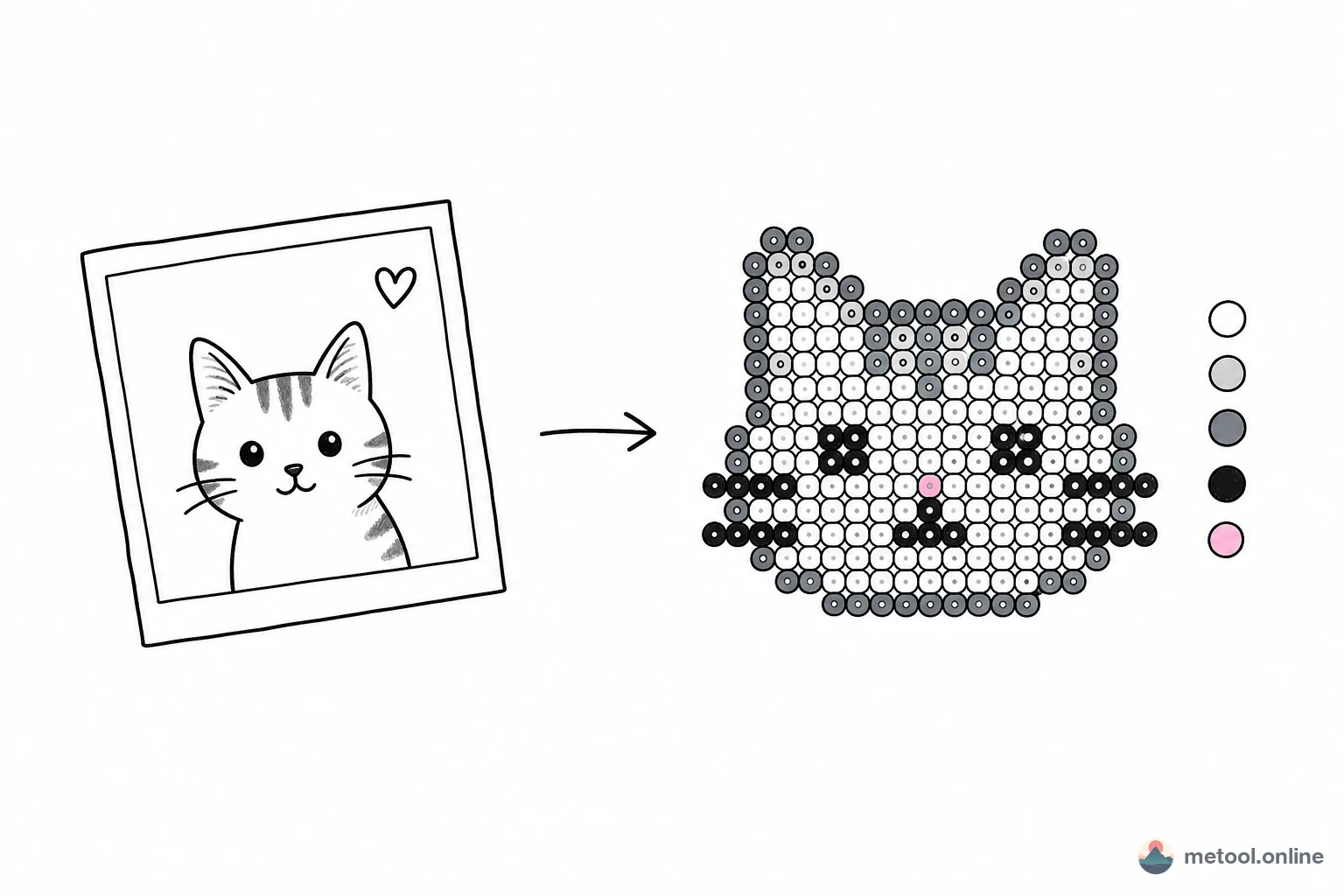
What Are Fuse Beads and Why Are They Trending in 2026
Fuse beads (also called perler beads or hama beads) are small plastic beads arranged on a pegboard and fused together with a household iron. From simple 29×29 grids to large multi-board masterpieces, bead art is both a kid-friendly craft and a serious pixel art medium for adults.
In 2026, the resurgence of pixel aesthetics and retro gaming culture on social media has brought fuse bead art into the spotlight. In China, MARD has become the dominant bead brand with its 221-color standard palette, and kits in 24/48/72/96/120/221 color configurations are the most popular on e-commerce platforms.
Aligned with MARD Standard Colors — Export and Start Crafting
The biggest pain point of image-to-bead tools isn't the conversion itself — it's that the exported color codes don't match the beads you actually own. MeTool's bead pattern generator solves this completely:
① Full MARD 221 colors: Built-in MARD A–M series with all 221 standard color codes. Codes like A5, B8, H7 match the physical color chart exactly.
② Kit-aligned presets: Six presets (24/48/72/96/120/221) match the most common kits sold online. Choose your kit size and the algorithm only uses colors within that range — no orphan colors in your pattern.
③ Shopping list included: Enable "Export stats" to get per-color bead counts. Whether buying a full kit or restocking individual colors, quantities are crystal clear.
④ Brush refinement: After conversion, use the brush tool to swap individual cells with colors from your kit's palette. Stats update in real time.
Practical Tips for Bead Pattern Creation
Image choice directly affects your bead art quality. Here are some tips:
Pick the right image: Clean outlines and high contrast work best. Cartoon characters, logos, and pixel art are natural fits. For complex photos, use larger grids (72+).
Match your kit: If you have a 24-color kit, generate with 24 colors — the pattern will be cleaner and every color will be in your kit. For richer detail, upgrade to a 72 or 120 color kit.
Use guide lines: Enable guide lines at 10-cell intervals to match standard 29×29 pegboard sections for easier placement.
Check the flip: Ironed beads show a mirror image on the front. If your pattern has text or directional elements, flip it before exporting to ensure the ironed side looks correct.
Online Bead Pattern Tools Compared
| Tool | Palette | Kit Presets | Brush Edit | Bead Stats | Local |
|---|---|---|---|---|---|
| MeTool | MARD 221 | 24/48/72/96/120/221 | ✓ | ✓ | ✓ |
| Pixelbead | MARD 291 | 72/96/120/144/221 | ✓ | ✓ | ✓ |
| Perler Chan | MARD / Artkal / more | Per brand | ✗ | ✓ | ✓ |
MeTool's strength is precise kit alignment with the six most common color sets (24/48/72/96/120/221) — export and start crafting with zero guesswork. Pixelbead supports the full MARD 291 palette (including P/Q/R/T/Y/ZG expansion series) for advanced users. Perler Chan covers more Chinese brands (Artkal, Huangdoudou) for cross-brand color matching.