Free Online 3D Model Format Converter in 2026
The 3D world is fragmented by formats — STL for 3D printing, OBJ as the legacy universal format, GLB for the web, USDZ for Apple's AR ecosystem, and FBX for games and film. Different workflows and platforms demand different formats, making format conversion one of the most common needs for 3D professionals.
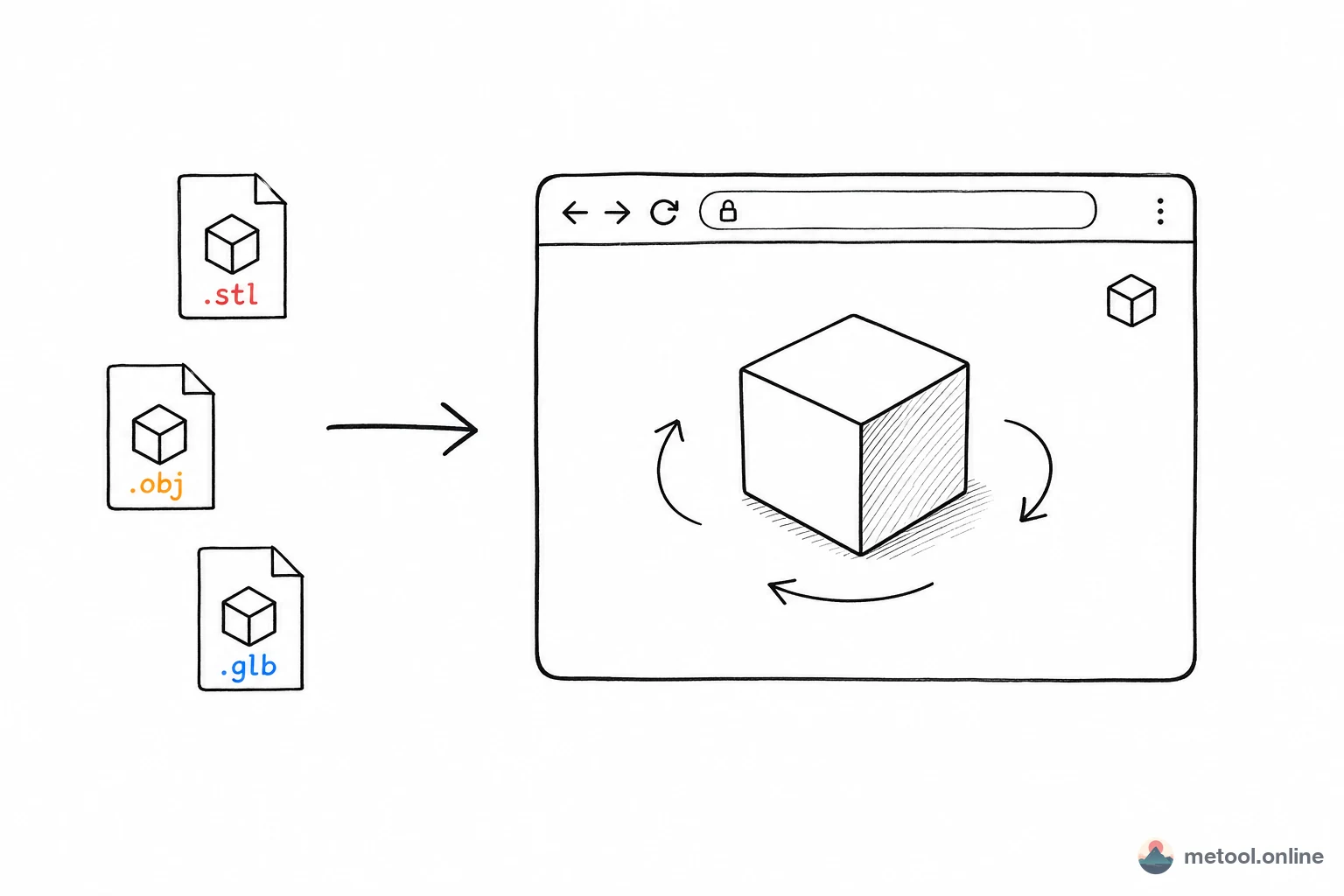
MeTool's online 3D model format converter accepts STL, OBJ, GLB, GLTF, PLY, FBX, and DAE (Collada) as input, and can export to GLB, USDZ, STL, OBJ, and PLY. The entire conversion process happens locally in your browser — your design files are never uploaded to any server, ensuring intellectual property protection.
In 2026, cross-platform 3D content publishing is the norm. Whether you're converting FBX animation assets to web-ready GLB, or turning OBJ models into printable STL files, MeTool handles it quickly and securely.
Which 3D Format Conversions Are Supported?
Input Formats
MeTool accepts the following input formats: STL (3D printing standard), OBJ (universal mesh format), GLB/GLTF (web 3D standard), PLY (point clouds and scan data), FBX (Autodesk animation format), and DAE (Collada open format).
Output Formats
Export to GLB (recommended for web and game engines), USDZ (Apple AR ecosystem), STL (3D printing), OBJ (universal interchange), and PLY (research and scanning).
Each format has its ideal use case. MeTool's conversion engine preserves original geometry data, material information, and texture maps as faithfully as possible, ensuring high-quality output.
When do you need to convert 3D model formats?
Turning a design model into a 3D-printable file
Many modeling tools export as OBJ or FBX by default, but nearly all 3D printer slicers only accept STL. After conversion, the file can be imported directly into Cura, PrusaSlicer, or similar tools to generate a print job.
Making a model displayable on the web or in a mini-program
Web 3D display (Three.js, product detail pages with 3D viewers) overwhelmingly uses GLB/GLTF because it's compact, fast-loading, and preserves material info completely. Converting a designer-provided FBX or OBJ to GLB is a common pre-launch step.
Producing Apple AR e-commerce assets
To let iPhone users view a product in AR Quick Look right in their real environment, the model must be in USDZ format. Converting an existing GLB or OBJ model to USDZ is a key step in producing AR marketing assets for the Apple ecosystem.
Cross-software collaboration and compatibility
Different 3D software and game engines don't support the same formats. Teams often need to convert a model exported by one party into a format the other party's tools can read, avoiding a costly re-modeling effort due to format incompatibility.
Will materials and textures be lost after conversion?
It depends on how well the source and target formats support material information. GLB/GLTF and FBX support materials, textures, and PBR parameters fairly completely, so these are usually preserved well when converting between them. STL, however, does not support materials or color information at all — it only stores geometric mesh data — so converting anything to STL will drop materials, and converting from STL naturally produces a model with no materials (since the source file never had any). This doesn't matter if your target use is 3D printing, but if you need to preserve visual appearance, choose a target format that supports materials, such as GLB or OBJ (with MTL).
Frequently Asked Questions
Q: Will conversion change the model's scale or coordinate system? A: Coordinate system conventions (Y-up vs Z-up) can differ between 3D software. MeTool handles coordinate conversion following the target format's standard convention, but files from unusual modeling workflows may occasionally need a manual orientation/scale check in the target application after conversion.
Q: Is there a file size limit? A: Conversion happens locally in your browser, so processing capacity depends on your device's performance and memory. Larger files and higher polygon counts take longer to convert — for very large models (hundreds of thousands of polygons or more), consider simplifying the mesh first.
Q: Can converted models be used commercially? A: Conversion only changes the file format; it doesn't affect the copyright of the model content. Usage rights are still governed by the original source's license.
Q: Will animation data (skeletal rigging) be preserved? A: GLB/GLTF and FBX both support animation data, and conversion between them tries to preserve skeleton and animation info. Converting to pure-geometry formats like STL, OBJ, or PLY cannot preserve animation data — only a static mesh is exported.