The solar system is one of the first pieces of astronomy almost everyone encounters, yet many people finish learning it remembering little more than the planet names — with no real mental picture of its scale, motion, or day and night. The problem usually isn't the student; it's that the flat diagram in the textbook is itself misleading — take it at face value and you learn it wrong. To really understand the solar system, you first need to know what that diagram lied to you about.
What's wrong with the textbook solar system diagram?
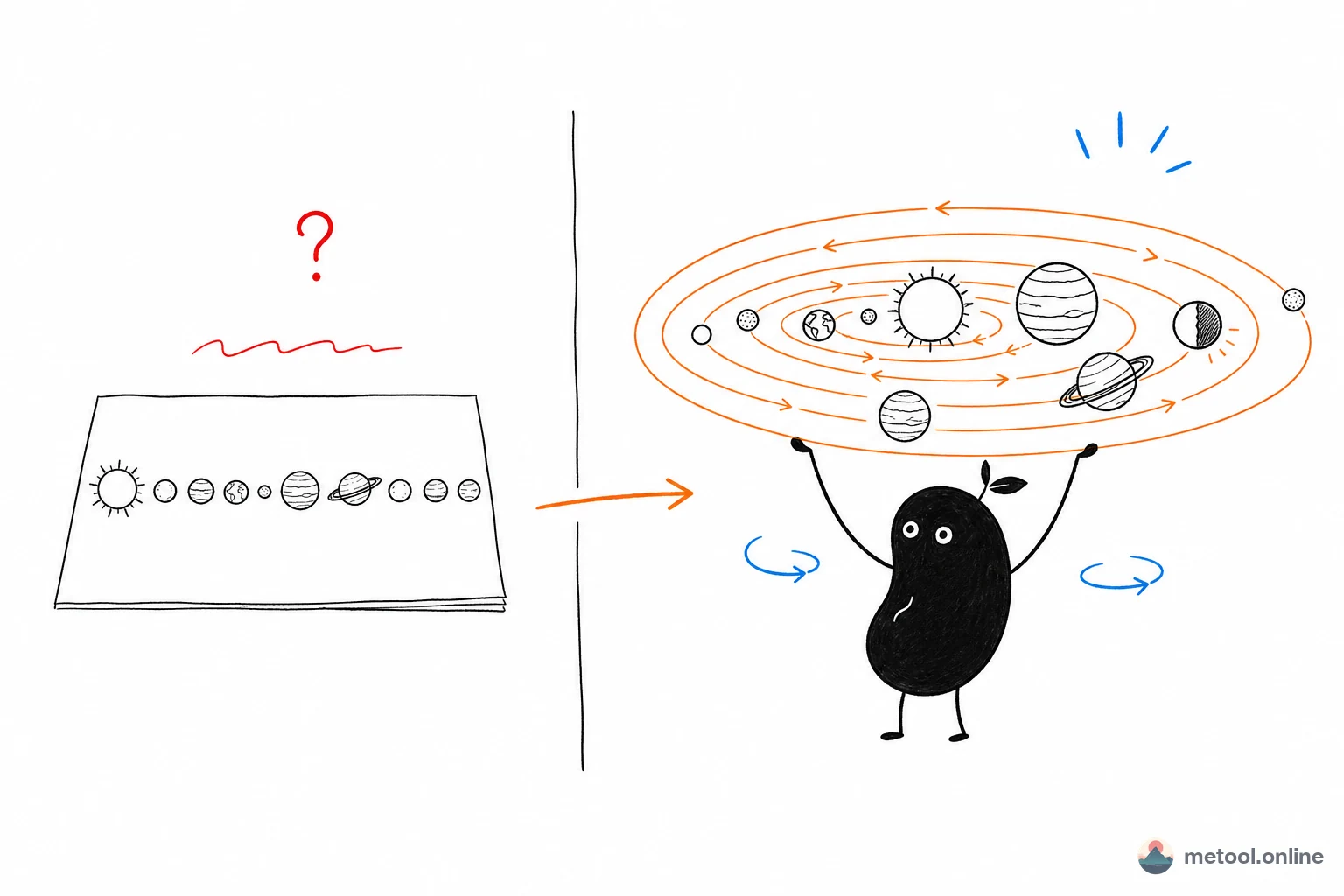
To squeeze all eight planets and the Sun onto one page, textbook illustrations sacrifice true proportions and distances, planting three misleading impressions:
- Orbital spacing is heavily compressed: planets sit shoulder to shoulder, making the solar system look "crowded." In reality the gaps are absurdly vast — if you shrank the Earth-Sun distance to 1 meter, Neptune would be 30 meters away.
- Planet sizes are exaggerated and drawn similar: all eight look about the same size. In fact Jupiter could hold over 1,300 Earths, while Mercury is smaller than some moons.
- No "motion" at all: a static image can't show the dramatic differences in orbital speed, nor why a planet always has one half in daylight and one half in darkness.
This point matters: if you can't remember the solar system, it's probably not poor memory — it's that the diagram literally can't carry this information. To build correct intuition, you need a medium that expresses scale, motion, and lighting.
What intuitions do you actually need to understand the solar system?
Understanding the solar system is fundamentally about building three visual intuitions, not memorizing a string of names. Names are just labels; the three things you actually need in your head are:
- A sense of emptiness: most of the solar system is empty, and planets are tiny dots floating in vast space. Build this intuition and you won't be misled by sci-fi scenes of "densely packed planets."
- Speed differences: the more inward a planet, the faster it spins and the shorter its year; the more outward, the slower and longer. This is the key to understanding "Mercury 88 days, Neptune 165 years."
- Day/night and the terminator: the Sun is the only light source, so at any moment only the planet's Sun-facing side is in daylight, and the light-dark boundary is the terminator. Grasp this and you have the foundation for day, night, and seasons.
These three intuitions share one trait: they are "dynamic and spatial," and inherently can't be built from a flat static image — you can only get them by seeing it move and being able to turn it around.
How do you make it clear with an interactive 3D model?
The most effective approach is a 3D solar system you can freely rotate, zoom, and actually set in motion, turning those three abstract intuitions into visible pictures. Compared to a flat diagram, the value of an interactive 3D model is "what you see is what you get":
- See speed: in the panoramic view, have all eight planets orbit simultaneously at true relative orbital scale, then speed up the time flow, and you directly see the stark contrast of inner planets racing around the Sun while outer planets crawl — "why is Mercury's year just 88 days" needs no explanation, one look and you get it.
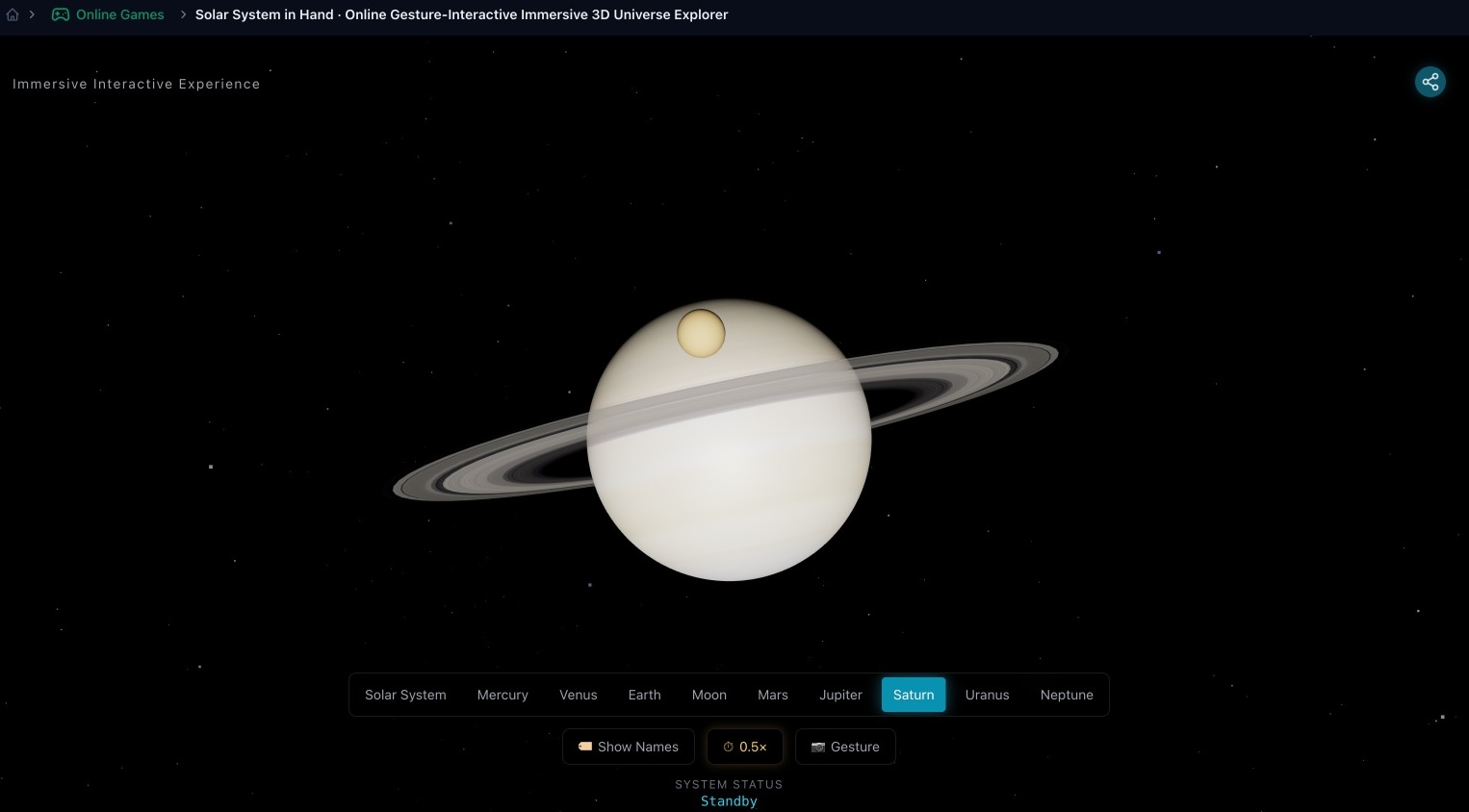
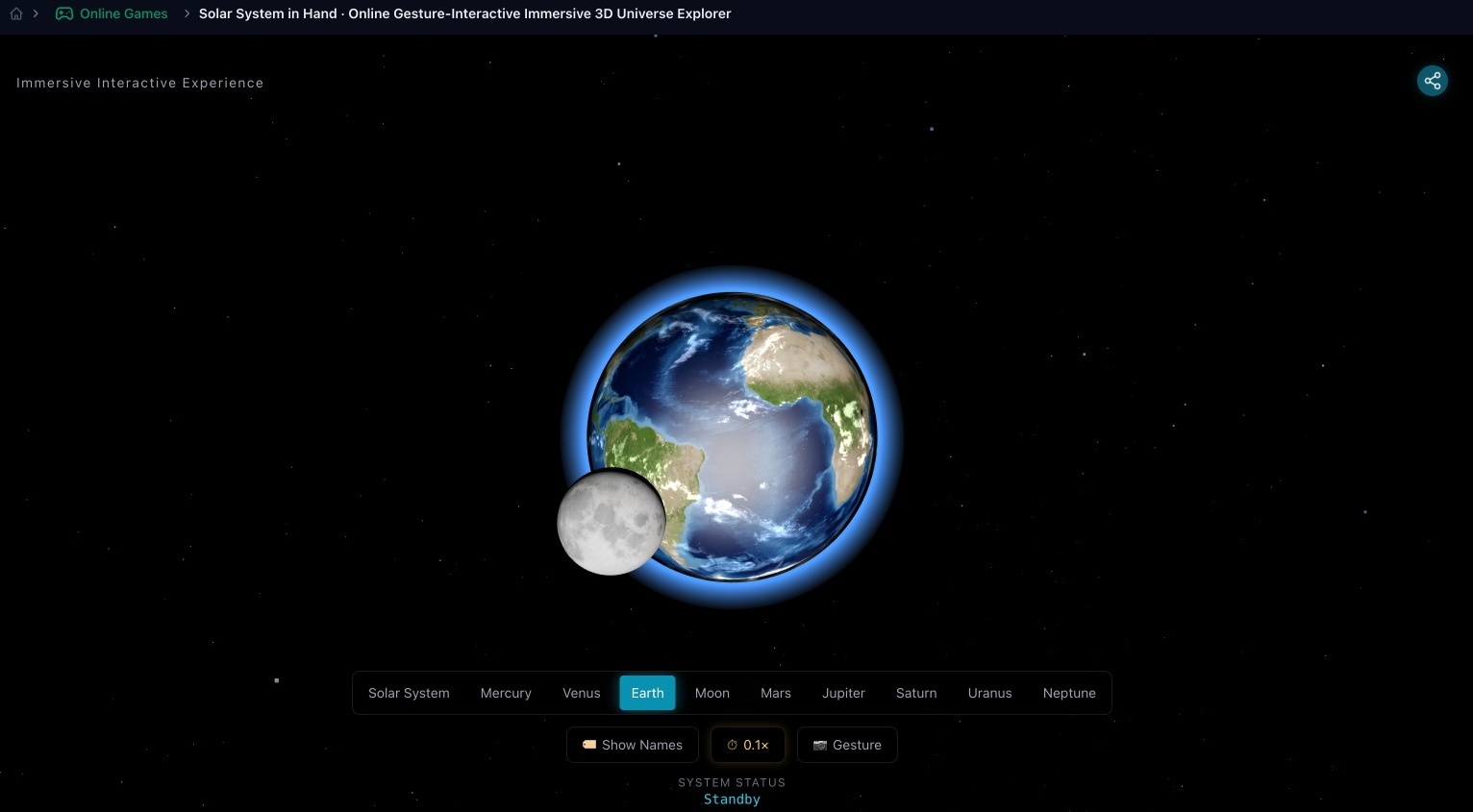
- See traits, remember the order: click through each planet's close-up — Jupiter's bands, Saturn's rings, Mars's red, Earth's oceans and clouds are all clear. Binding names to real appearances sticks far better than rote mnemonics.
- See day and night: with the Sun as the only light source, every planet has a clear light-dark boundary; rotate the view and you see the sunlit and shadowed sides, making the cause of day and night obvious.
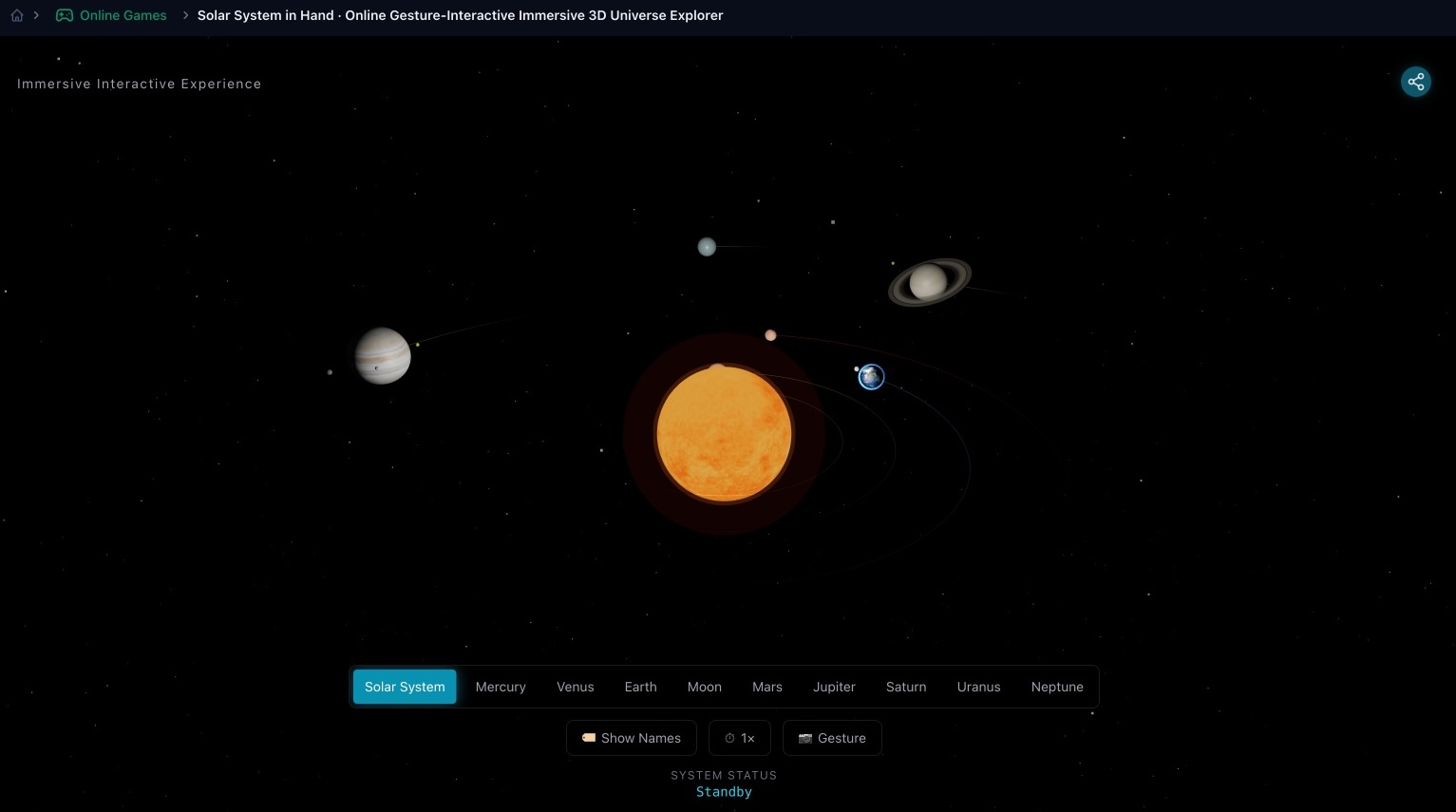
The online 3D solar system is built exactly along these lines: the eight planets orbit at relative scale, you can switch 1×/0.5×/0.1× speed at the bottom, enable gesture control, and click any planet to pop up real data like diameter, distance, and orbital/rotation periods. It runs in a browser on phone or computer — great for classroom screencasting, student self-study, or parent-child science.
Switching to a single-planet close-up, the realistic textures make each trait obvious at a glance — Saturn's rings, Earth's land, oceans and clouds, and the Moon in the same frame — all far more intuitive than a textbook illustration:
A common misconception: 3D models aren't truly to scale either
One boundary deserves an honest note: almost no solar system 3D model that fits "everything on one screen" simultaneously preserves true scale. The reason was covered earlier — the real solar system is too empty. If both planet sizes and orbital distances were scaled truthfully, on screen you'd either see just one bright dot (the Sun) with the rest too small to see, or you'd have to scroll dozens of screens to find the outer planets.
So such models usually enlarge planet sizes and compress orbital distances to make everything visible at once. This isn't a flaw — it's a necessary trade-off of teaching visualization. Just be aware when using it: what it accurately reproduces is order, relative speed, day/night, and appearance traits — not the absolute ratios of size and distance. To fill in the "sense of emptiness" lesson, pair it with a scaling analogy like "1 meter = the Earth-Sun distance."
How to use it in different scenarios?
| Scenario | How to use | What to focus on |
|---|---|---|
| Classroom demo | Screencast the panoramic view, adjust speed to demo orbits | Inner vs outer speed contrast, cause of day/night |
| Student self-study / preview | Click through each planet for data and appearance | Bind names, traits, and real parameters into memory |
| Parent-child science | Let kids drag, rotate, and find planets themselves | Spark interest, build emptiness and motion intuition |
The criterion is simple: any solar system concept that "text and flat diagrams can't make clear" — scale, motion, day/night — hand it to an interactive 3D model; when you need precise data, click a planet to see its science card.
Summary
People fail to remember the solar system often because the flat textbook diagram compresses proportions and erases motion, unable to carry what it really looks like. Understanding it requires three dynamic intuitions: a sense of emptiness, inner-fast outer-slow, and day/night with the terminator — and those can only be made clear by a 3D interactive model you can turn, zoom, and speed up. Use the model to see order, traits, and motion patterns all at once, then add a scaling analogy for a true sense of scale — far more effective than memorizing a mnemonic over and over.