When you cannot write LaTeX, what you need is not more commands to memorize. You need the one expression AI just wrote to render immediately. Do not let the model hand in the work in chat. Preview pass is what counts as written; the symbol palette is for your tweaks. Taking dollar signs or a full document into the renderer is the usual failure.
Why does “ask ChatGPT for a formula” still leave you unsure it is right?
Because chat has no math engine. \frac{a}{b} is a string of characters to you; whether the denominator is wrapped, whether a matrix environment is wrong, only shows up against a render. People paste the whole reply into Word and get source, not an expression.
Models also have habits. To “work in Markdown,” they wrap $ or $$. To “look like a paper,” they add \documentclass. A single-formula preview needs neither: the first is a delimiter, the second is a different tool. Length: single-formula input caps around 5000 characters. Paste the prose of a proof with it and it truncates; error messages get harder to read.
Homework also has a semantic risk: reversed subscripts, swapped sum limits — syntax can still be legal. KaTeX only checks whether it can draw, not physics or math meaning. Preview is necessary, not sufficient.
How do I let AI write one formula and catch errors on the page?
Open the LaTeX formula editor, turn on Connect your AI, and have the assistant read and write only formula.tex. Lock three constraints in the instruction: formula content only; no $ / $$ / \( / \[; no full LaTeX document.
One round can look like this — AI speeds prompt-to-commands; you check right/wrong on the preview:
You:
Write “the integral of sin x from 0 to π equals 2” as one formula. Body only, no dollar signs. Write it to the current formula page.
Assistant:
Written. Check whether the preview says render succeeded. Look at subscripts and limits against the problem; if something is off, point at it and I will only change this one expression.
Do not imagine what the expression looks like drawn — chat on the left, an arrow to the formula page on the right, preview showing a successful render:
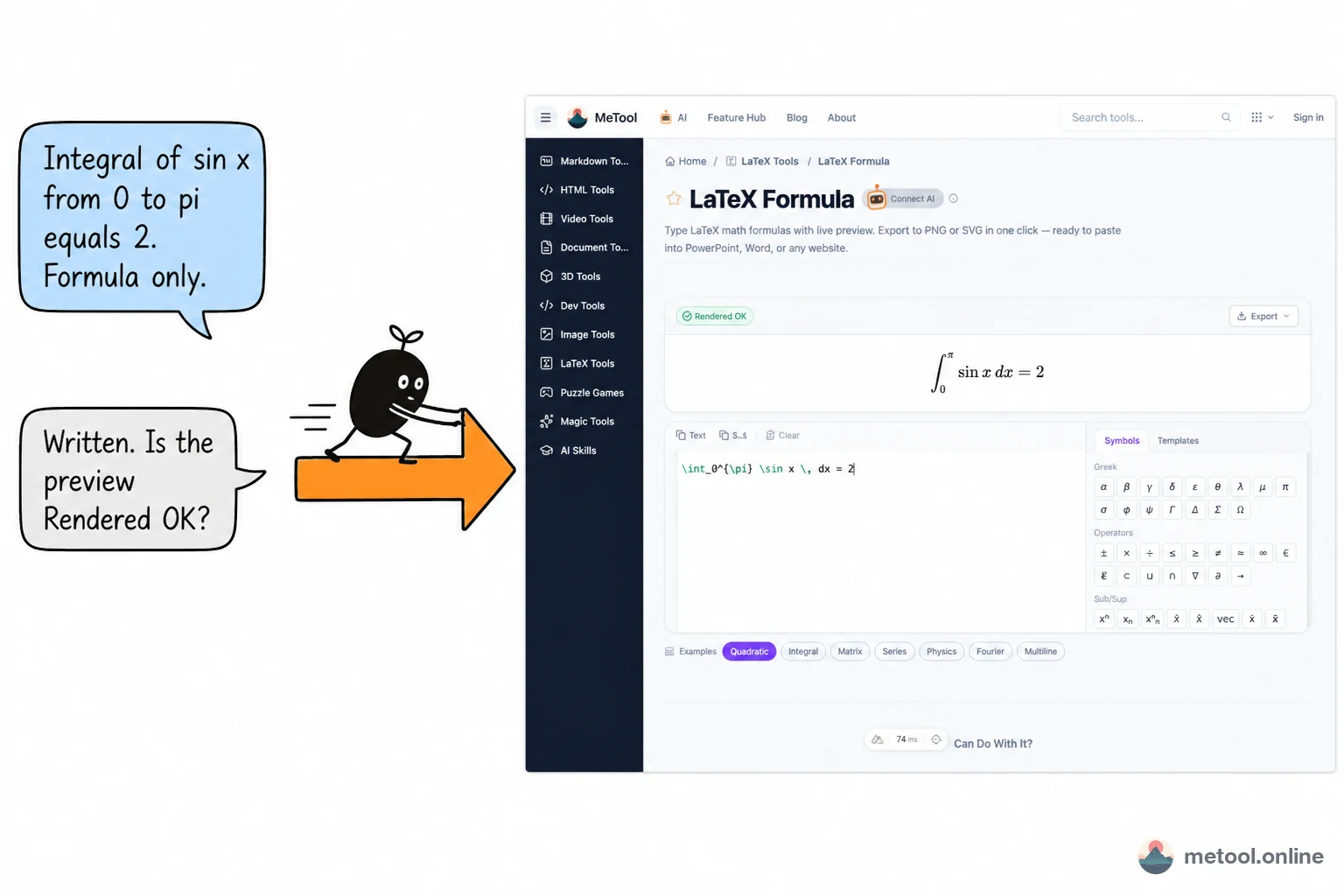
KaTeX only checks whether it can draw, not whether it matches the problem. Cowriting here means commands can go to the assistant; right/wrong stays on a preview you watch. Setup: How do I connect AI?.
When the preview errors, send the red text and the error location back, and ask to change only this expression. Common pairs:
| What the page shows | Likely cause | What you ask AI to do |
|---|---|---|
It stripped $$, or warned not to wrap |
The model wrote a Markdown document | Rewrite as a bare formula |
| It says this is document-level syntax | \documentclass and friends appeared |
Stop; switch to the paper editor |
| Unclosed braces / environments | Nested matrices or fractions | Only add the braces; do not rewrite the problem |
| Render succeeded but it is not the problem | Semantics wrong, syntax fine | Restate the problem in plain language; still only this expression |
The symbol palette on the right is useful for tweaks: Greek letters, fractions, matrix templates insert on click. You do not need another generation round to swap in \alpha. Export PNG or SVG after the preview already passes; how to paste into Word / PowerPoint is in Write once, reuse everywhere. Setup: How do I connect AI?.
If the same expression has to go to Slack, Docs, or an LMS, render it as an image first — How do I send a formula from my notes?. Keep the two lines separate: check homework on this page; send to other people via an image export.
Single-formula check, or compile a whole paper?
One expression you need to see immediately → formula page. Multi-file .tex, a PDF, a table of contents → the editor compile page.
| What you have | Which path | Why |
|---|---|---|
| One integral or matrix in homework | Formula page + AI write | Fast; errors target this expression |
| A crisp formula image for a kickoff deck | Formula page, export SVG | No need to compile the whole paper |
| A course paper with a bibliography | LaTeX editor | Needs an engine, packages, pages |
The model emitted a whole homework .tex |
Do not paste into the formula page | It will truncate or fail as one math expression |
| TikZ figures, rare packages | Local TeX or a full-project compile | KaTeX is not full TeX |
Boundaries: the connection drops with the tab. The formula page does not do cross-references and does not run XeLaTeX. AI speeds “from the problem statement to the commands.” Whether symbols match the problem still needs you to look at the preview. Pasting an unpublished exam into the model you use is a separate risk, unrelated to the tool, but worth a pass before you submit.
Wrap-up
When you cannot write LaTeX, give “write the commands” to AI and keep “is it right?” on the KaTeX preview. Do not let the model hand in the work alone in chat. Bare formula only — no dollar signs, no full document. Errors → fix this one expression. Export or copy after the preview passes. Whole homework files and paper projects switch to the compile page; do not force them into a single-formula box.