Beginners often bounce off
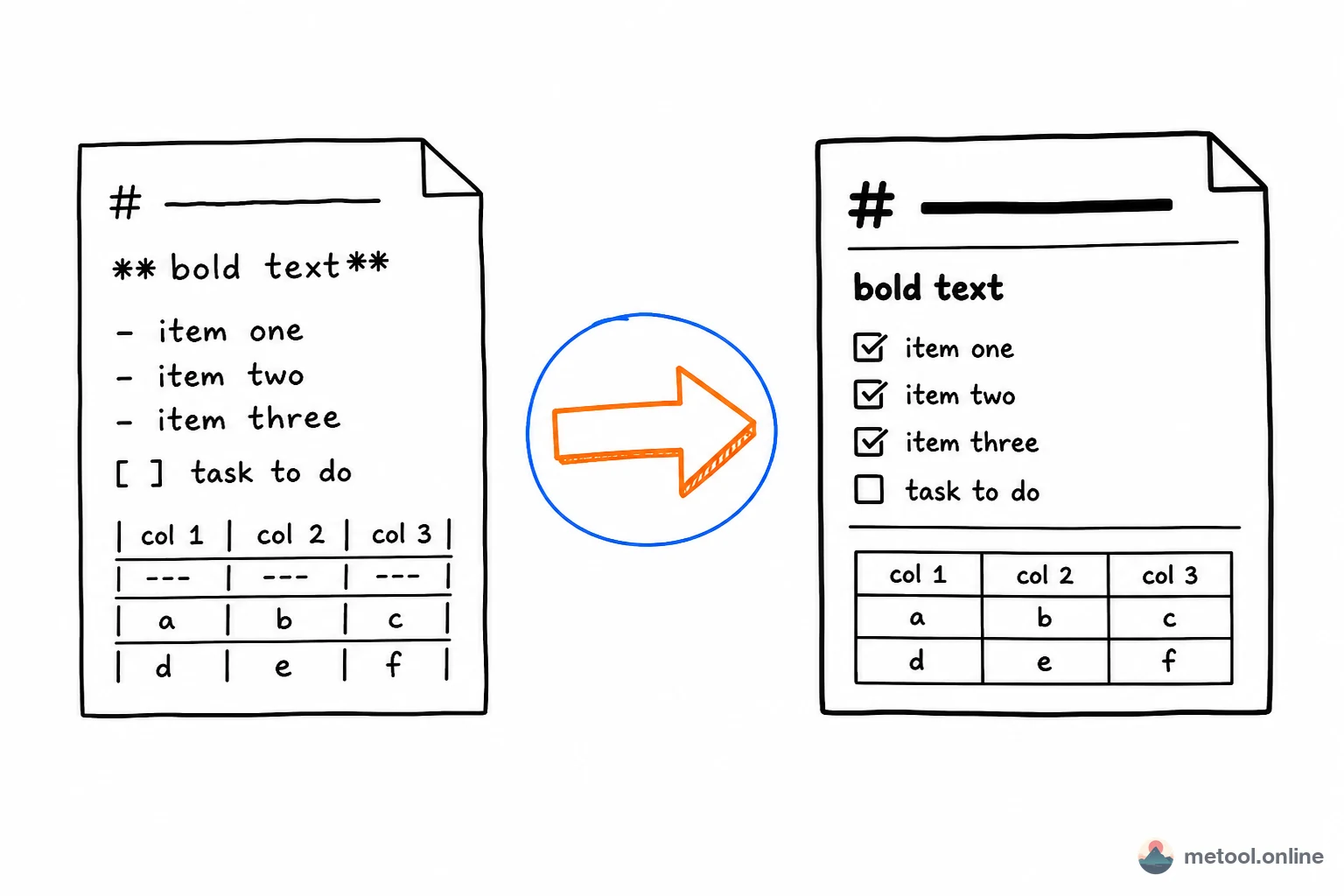
#,*, and backticks—but everyday Markdown is only about ten high-frequency patterns. Learn those and you can write blogs, READMEs, notes, and weekly updates. Each section below pairs source with a rendered result, plus examples you can copy and tweak.
What Is Markdown, and Why Learn It?
Markdown is a lightweight way to mark up plain text with ordinary symbols: # for headings, * for emphasis, - for lists. A renderer turns those marks into real layout. The payoff is content separated from presentation—the source stays readable, and the same .md file can become HTML, Word, PDF, or platform-specific rich text.
GitHub, note apps, static blogs, and many AI chat UIs treat Markdown as the default writing format. The learning curve is low: you format from the keyboard instead of hunting through toolbars. Below are the ten patterns you will use most.
Support for these ten patterns in common apps (a “yes” means they render in the usual CommonMark / GFM way; skins differ):
| Pattern | Notepad | VS Code preview | GitHub | Typora-class | WeChat official editor |
|---|---|---|---|---|---|
| Headings / bold / lists / links / images | Source only | Yes | Yes | Yes | Needs conversion, not raw MD |
Task lists - [ ] |
Source only | Yes (preview) | Yes | Yes | Usually no |
| Tables, highlighted fences | Source only | Yes | Yes | Yes | Needs conversion |
| Math, flowcharts | No | Depends on extension | Partial | Depends | No source render |
Notepad only opens the file; it will not show layout. Any editor with a preview is enough to compare. Math and diagrams are not part of this ten-pattern set—see the advanced syntax guide.
How Do Headings Work? Count the # Signs
Headings start a line with #. The number of hashes is the level, and there must be a space between # and the title text. Use # for the document title; use ## / ### for sections inside the body.
markdown# Heading 1 (document title)
## Heading 2 (section)
### Heading 3 (subsection)
#### Heading 4
Rendered preview:
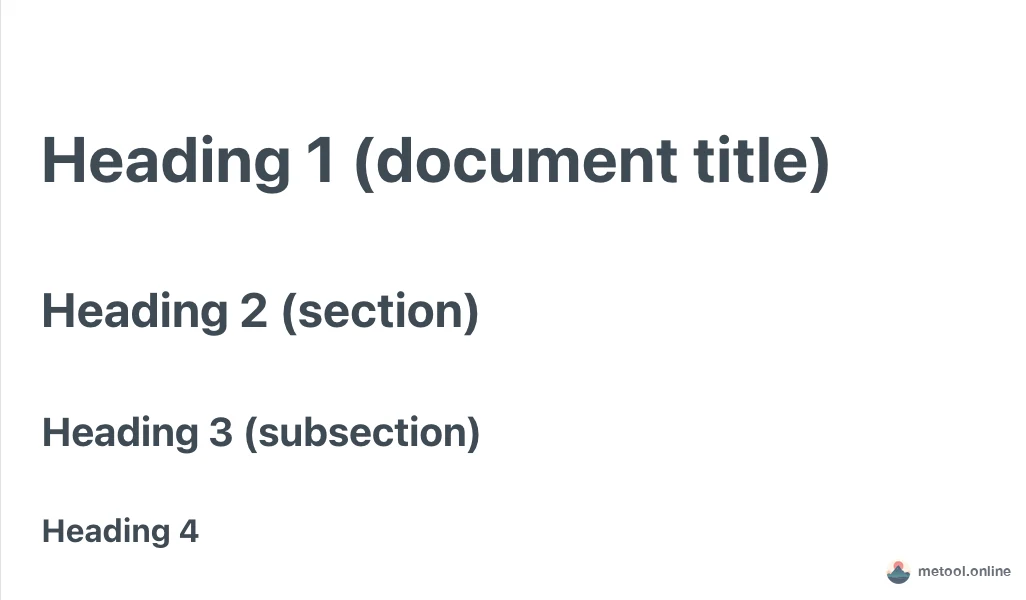
The classic beginner mistake is writing #Heading with no space—most renderers then show the raw text. Also avoid skipping levels (jumping from # to ###); clean hierarchy helps when you export Word/PDF and generate a table of contents.
How Do Bold, Italic, and Strikethrough Work?
Wrap text in matching markers: bold with **text**, italic with *text*, strikethrough with ~~text~~. You can combine them.
markdownThis sentence has **bold**, *italic*, ***bold italic***, and ~~an old price~~.

If emphasis fails next to punctuation or CJK characters, add a space outside the ** markers. Strikethrough is handy for contrasts like “was 99 now 39”.
How Do Unordered, Ordered, and Task Lists Work?
Three list types: unordered with - (or * ), ordered with 1. , and task lists with - [ ] (open) or - [x] (done). Always put a space after the marker. Indent by two or four spaces for nested items.
markdownUnordered:
- Apple
- Banana
  - Nested item

Ordered:
1. Open the editor
2. Paste content
3. Export the file

Tasks:
- [x] Done
- [ ] Still to do
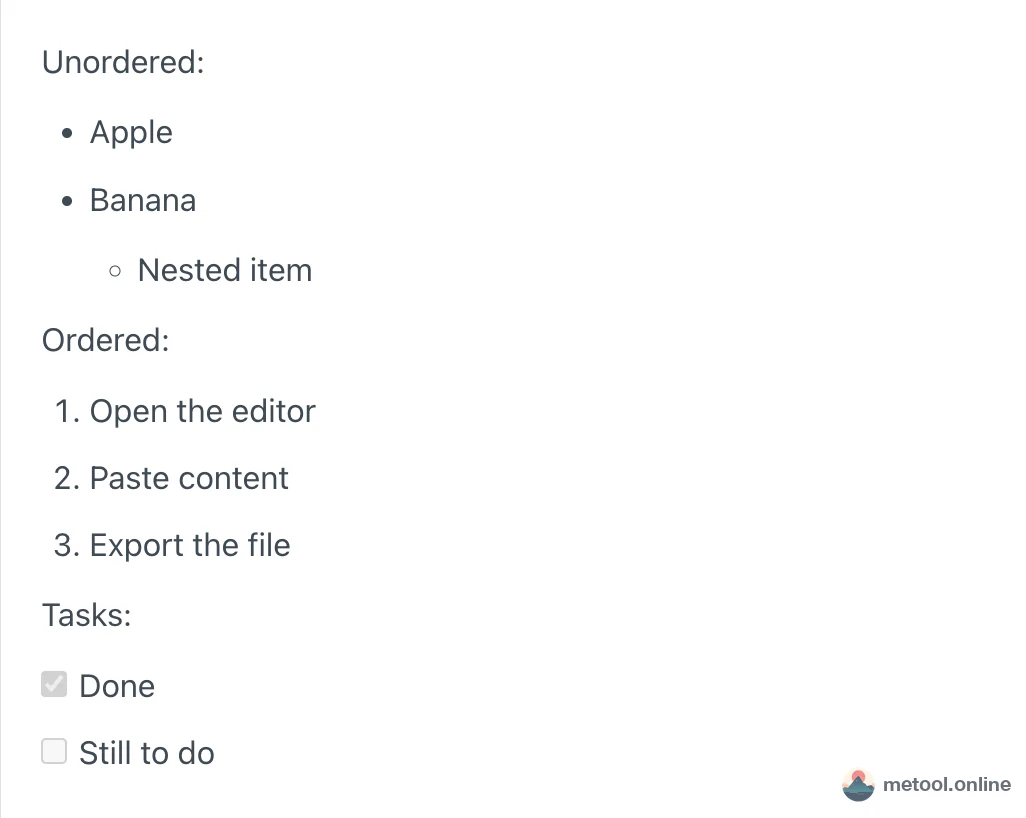
You can write every ordered item as 1.—many renderers renumber automatically, which makes inserting rows easier. Task lists are a GFM (GitHub Flavored Markdown) extension and work well for TODOs and checklists.
How Do Links and Images Work?
Links use [label](url). Images are the same with a leading bang: . Structure is almost identical; images render inline, links stay clickable text.
markdownHere is a [link to MeTool](https://metool.online/).
Here is an image:

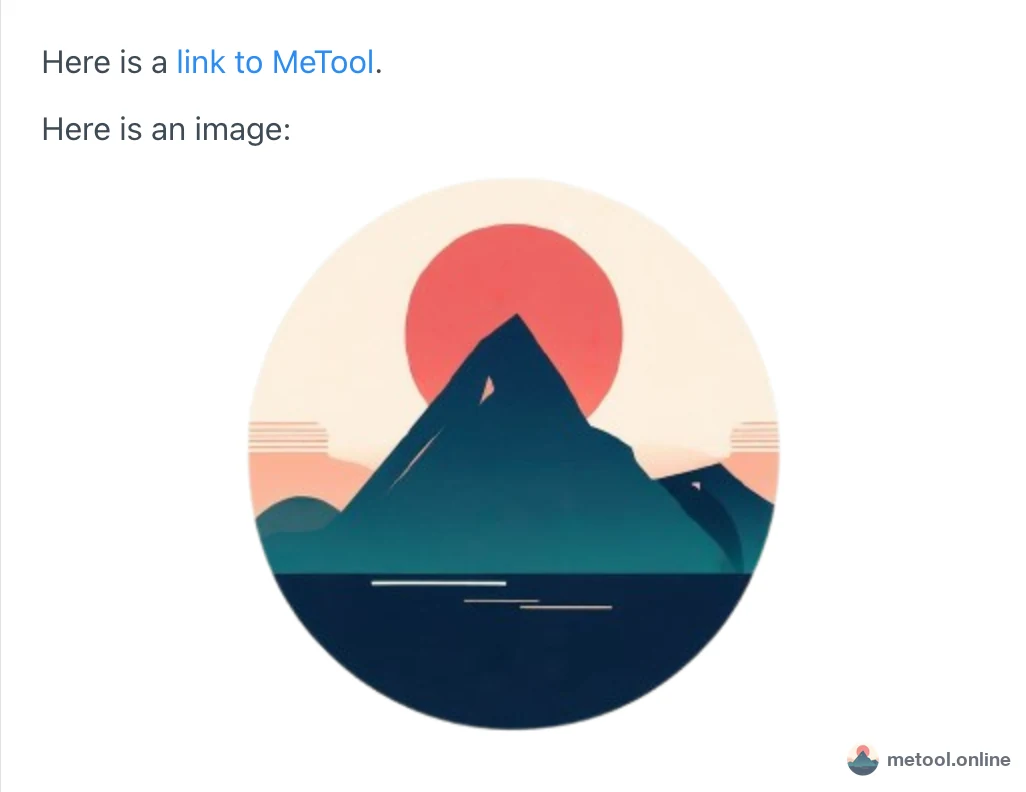
Write meaningful alt text for accessibility and failed loads. The URL can be remote or local; many editors also accept drag-and-drop or paste and insert the image syntax for you.
How Do Inline Code and Fenced Code Blocks Work?
Wrap short commands in single backticks for inline code. For multi-line blocks, use three backticks and put a language id after the opening fence (js, python, …) so the renderer can highlight.
markdownTo install dependencies, run `npm install`.

```js
function hello() {
  console.log('Hello Markdown')
}
```
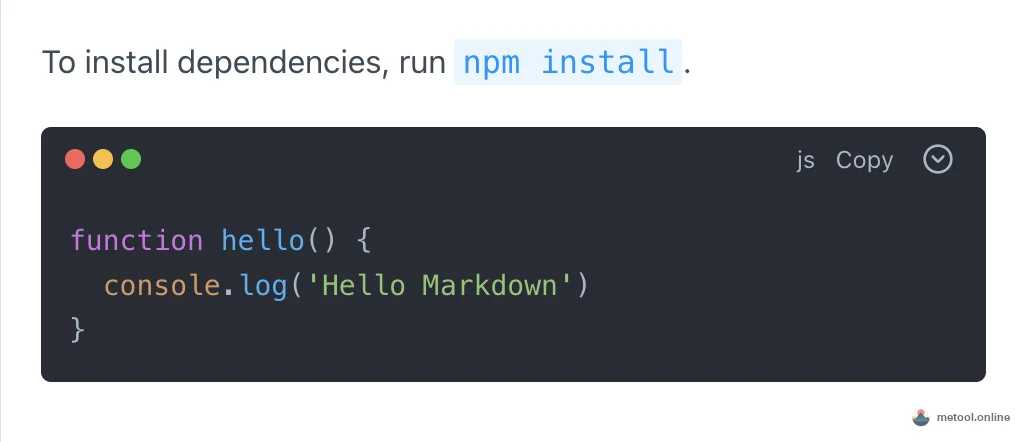
The backtick key is usually left of 1—do not confuse it with a single quote. Language tags matter: without them you often get a plain block with no highlighting.
How Do Blockquotes Work?
Start a line with > for a quote—great for key takeaways, citations, or callouts. Repeat > on each line of a multi-paragraph quote; nest with >> if needed.
markdown> This is a quote—good for a key conclusion.
>
> Quotes can include **bold** and `code`.
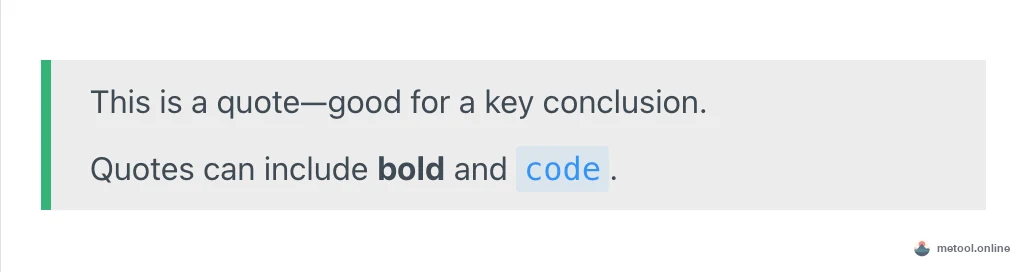
Styles vary by platform, but the meaning is the same: demote the text as a side note or excerpt. Opening an article with a one-line quote is a common pattern.
How Do Tables Work?
Separate cells with |. The second row is a header separator of ---. Colons set alignment: :--- left, :---: center, ---: right.
markdown| Feature | Common? | Note |
| :--- | :---: | ---: |
| Heading | Yes | Use # |
| Table | Yes | Use pipes |
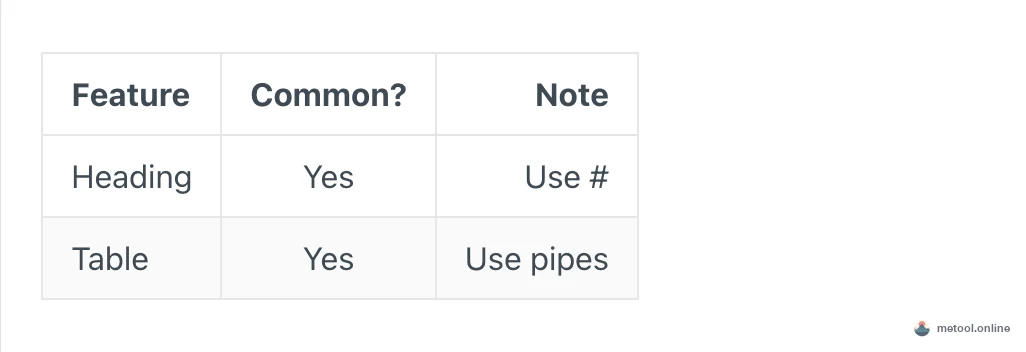
Hand-aligning pipes is tedious. Practical tip: insert a table skeleton first, then fill cells—or paste from a spreadsheet into an editor that converts tables.
How Do Horizontal Rules and Line Breaks Work?
A horizontal rule is a line with three or more hyphens --- (or ***). For line breaks, a single Enter often does not start a new line—use two trailing spaces, or leave a blank line for a new paragraph.
markdownFirst paragraph.

Second paragraph (blank line between).

---

Content below the rule.
Keep a blank line above ---, or it may be parsed as a setext heading underline. Blank lines between paragraphs are the safest habit.
Why Did I Type It and Nothing Happened? Six Common Pitfalls
When Markdown “does nothing,” the file is rarely corrupt—the marker rules were not met. These six cases fix most of it on the spot.
| What you see | Wrong | Right | Why |
|---|---|---|---|
Text after # stays body copy |
#Heading |
# Heading |
Space required after # |
| List collapses into a paragraph | -Apple |
- Apple |
Space after -, 1., and - [ ] |
| Enter does not start a new line | Single Enter | Blank line, or two trailing spaces | One Enter is not a hard break in most dialects |
| You wanted a rule; the line above became a heading | --- flush under text |
Blank line, then --- |
Adjacent --- is a setext underline |
| Bold next to CJK fails | 这是**加粗**字 |
这是 **加粗** 字 |
Some renderers want space outside markers |
| Numbers go wild after an insert | Hand-edit 2. 3. |
Write 1. on every row |
The renderer renumbers |
Two iron rules—space after markers, blank line between paragraphs—clear most rows in that table.
Cheat Sheet: Ten High-Frequency Patterns
| Pattern | Syntax | Result |
|---|---|---|
| Heading | # Title |
Heading levels |
| Bold | **text** |
Bold |
| Italic | *text* |
Italic |
| Strikethrough | ~~text~~ |
Struck text |
| Unordered list | - item |
Bullets |
| Ordered list | 1. item |
Numbers |
| Task list | - [ ] item |
Checkboxes |
| Link | [text](url) |
Clickable link |
| Image |  |
Image |
| Inline code | `code` |
Monospace |
| Code fence | ```lang |
Highlighted block |
| Quote | > text |
Blockquote |
| Table | | cell | |
Table |
| Rule | --- |
Horizontal line |
Practice: Paste Examples Into an Editor
Reading is not enough—edit. Copy any sample into a left-source / right-preview editor, change one character, and watch the preview.
Any previewing editor works. If you do not have one open, the Markdown online editor is that split view, with the draft kept in the browser. Export to Word/PDF or sharing a link is a later step—see the related articles below rather than mixing export into syntax practice.
Wrap-Up
The everyday set is small: # headings, ** bold, * italic, - / 1. lists, - [ ] tasks, []() links, ![]() images, backticks for code, > quotes, | tables, --- rules. Space after markers and a blank line between paragraphs remove most beginner bugs. Paste the samples into a preview and spend an afternoon changing one symbol at a time.
Other questions in this topic belong on their own URLs—do not compete with “how do I write the syntax” here:
- Math, diagrams, collapse: advanced Markdown syntax
- Double-click a
.mdand only see hashes: how to open a downloaded .md - Someone only accepts Word or PDF: Markdown to Word or PDF