Tables and code fences in Markdown are only characters in chat. You only know if they break after they render. Do not paste the whole file back and forth and let AI finish a version alone. Have it write into the open draft; you steer tables and lists on the split preview — local replace for one change, not a full overwrite.
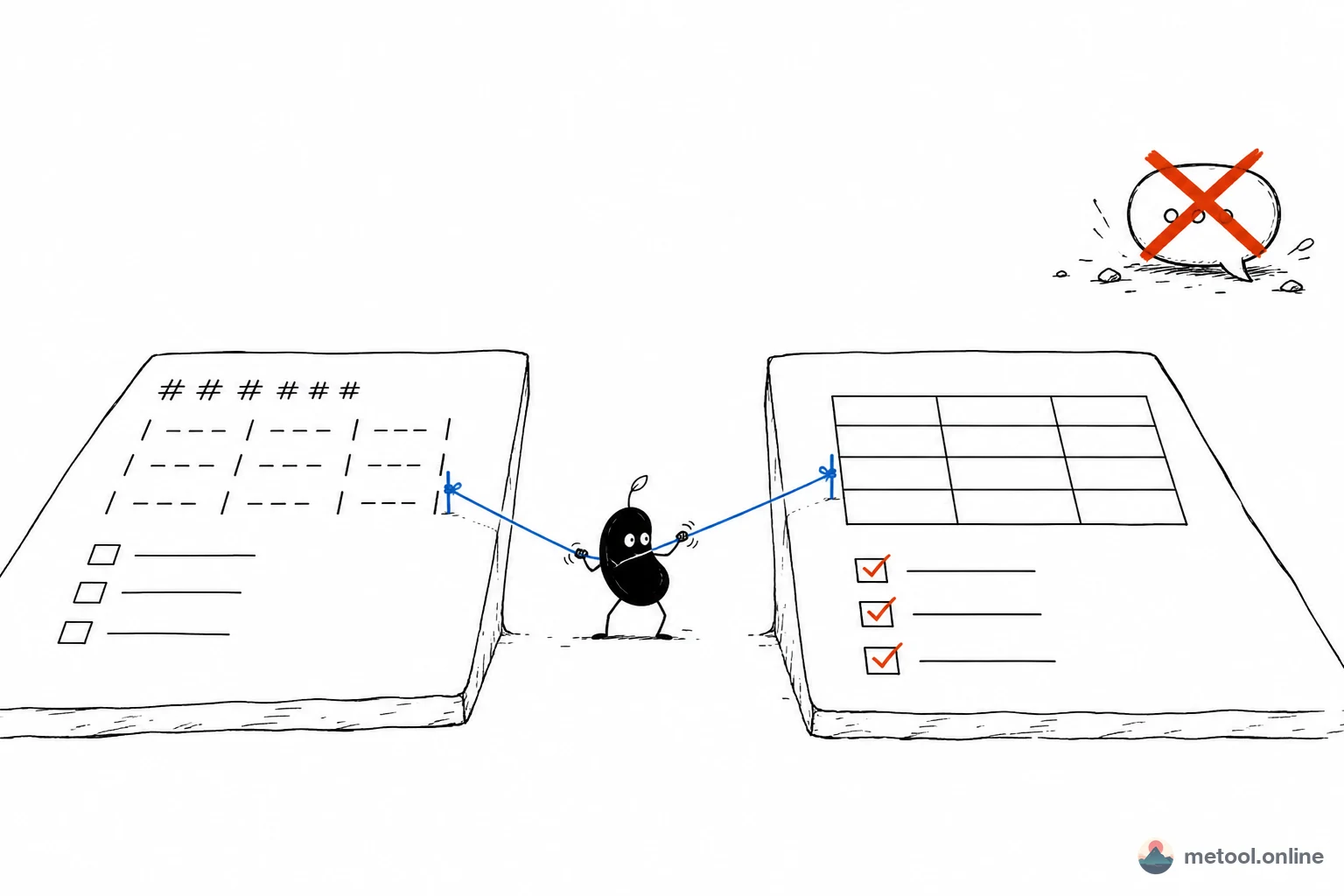
Why does Markdown look fine in chat and fall apart when I paste it out?
Because a chat window almost never does a full GitHub-flavored Markdown (GFM) preview. A table made of pipes can look aligned in chat and miss a column in an editor. - [ ] is only a symbol in chat; after render you see whether it is checkable. A wrong language tag on a fenced block will not show that highlighting collapsed.
Pasting back and forth has two more costs. Long drafts eat context, and the model forgets a section you already fixed. People also say “give me another version of this,” and get a second full file, not a patch on the original. Hand-edited titles and numbers you already checked disappear in that “another version.”
So live preview is not decoration: it turns “are the symbols right?” into “is the layout right?” Cowriting only holds if the draft lives on the page that renders, not in the chat log.
What should I watch when cowriting the same draft with AI?
If you can point at a section, have the assistant do a local replace. Only allow a full rewrite when the structure as a whole is scrap. Local replace keeps sentences you already changed and local image references; a full overwrite is a new file. Open the Markdown editor, import or paste the draft, turn on Connect your AI, keep the tab open.
One round can look like this — AI speeds the table and the list; you decide pass/fail on the right-hand layout:
You:
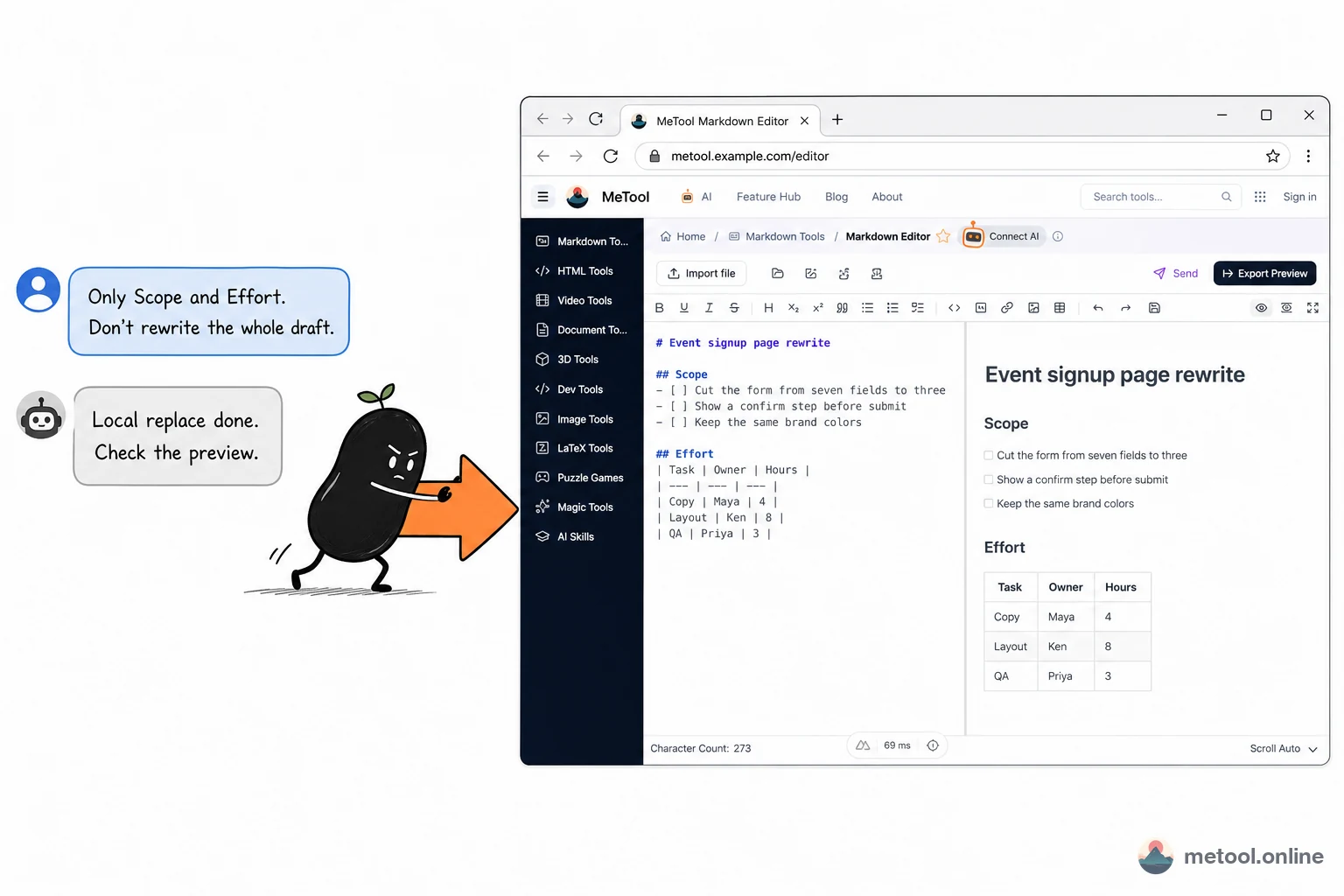
Only change the Scope and Effort sections: turn the three items into a task list, and make the third table column hours. Do not touch the title, and do not rewrite the whole file.
Assistant:
Local replace is done on the current page. Check the right-hand preview: can the list be checked, and is the table missing a column? If something is off, name the section and I will only change that.
Do not imagine whether the table is broken — chat on the left, an arrow to the editor on the right, preview already rendering the list and the table:
If a header is misaligned, say “only fix that table’s separator row,” not “give me another version of this.” Cowriting here is stacking patches on the same main.md, not swapping a new draft every round. Setup: How do I let my current AI operate a web tool?. Concept: What is human–AI cowriting?.
This page supports common GFM: tables, task lists, strikethrough, fenced code with language tags. To keep the bundle small, Mermaid is not rendered here; for flowcharts use the Mermaid page. You can also say:
- “Make the tone readable for non-technical teammates, but leave code fences as they are.”
If you imported images on the page, links point at local browser objects. The assistant should keep those image paths as-is when it rewrites; a full overwrite that says “add your own images” will blank the preview. On download: no local images → save .md; with local images → a .zip of the draft plus images. The save dialog is in the browser; chat will not receive file bytes.
When is the editor worth cowriting on, and when is it not?
Long drafts that must be judged against a render are worth bringing the assistant onto the editor. A short plain-text reply can stay in chat.
| Task | Better approach | Why |
|---|---|---|
| Specs, recaps, README drafts | Cowrite on the editor + live preview | Tables and lists have to be seen |
| One typo, one link | You edit on the page | No need to invite AI |
| Structure is all wrong, ready to throw away | Allow one full overwrite, then return to local replace | The old draft has no keepers |
| Need images for a newsletter or Xiaohongshu | Finalize the source here, then convert | This page owns the source, not the platform skin |
| Flowcharts, a single formula as an image | Switch to Mermaid or a formula page | This page does not render diagrams, and full formula export is not here |
If the same .md has to go to several platforms after it is final, see Publish one Markdown everywhere. If you only cannot open a .md someone sent you, see How do I open a downloaded .md file? — that is a preview problem, not a cowriting problem.
Boundaries: the connection follows the tab; close the page and it drops. A single file rewritten over the relay has a size cap (on the order of a hundred-plus KB of text); larger drafts should be edited in chunks, or only the currently open file. Editor drafts live in this browser; they will not follow you to another device unless you download.
Wrap-up
Letting AI write Markdown is not about whether it knows the syntax. Tables and code have to render before you know they are right. Point the assistant at the split-pane page and cowrite the same main.md: local replace when you can, full overwrite only when you must. Pasting long files through chat and letting the model finish a version looks fast; what you lose are the lines you already got right.